How to Open a ProRealTime Account: A Step-by-Step Guide


What if your trading platform was your biggest advantage?
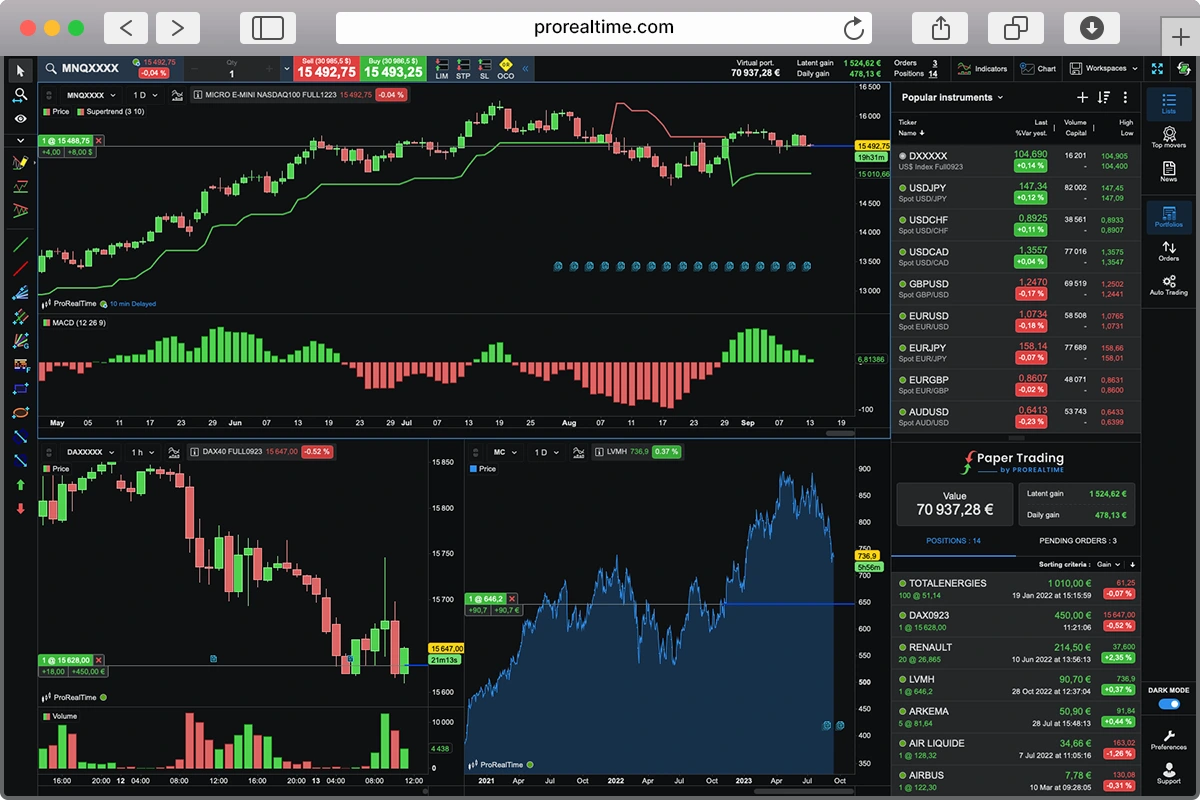
When markets are unpredictable, having reliable, high-performance tools matters. ProRealTime is a serious platform built for serious analysis—used by both individual and professional traders.
You can use ProRealTime for free with no obligation. Or connect it to a brokerage account through Interactive Brokers, Saxo, or IG to place trades directly.
Here’s how to get started.
1. Stock Charts and Market Data for Free — No Account Needed
When you first launch ProRealTime Web, you’ll see a connection window.

If your goal is simply to track market prices or explore the platform at your own pace, just click “Use ProRealTime WEB without connecting.”
This option gives you access to:
- Interactive charts with drawing tools and technical indicators
- A selection of market instruments to browse

To go further — saving your analyses, creating watchlists, or using a virtual portfolio (Paper Trading) — you’ll need to open a demo account.
2. Opening a ProRealTime Demo Account
Opening a demo account
To open a demo account:
- Click “Sign in to save your customisations”
- Then select “Create your free account”
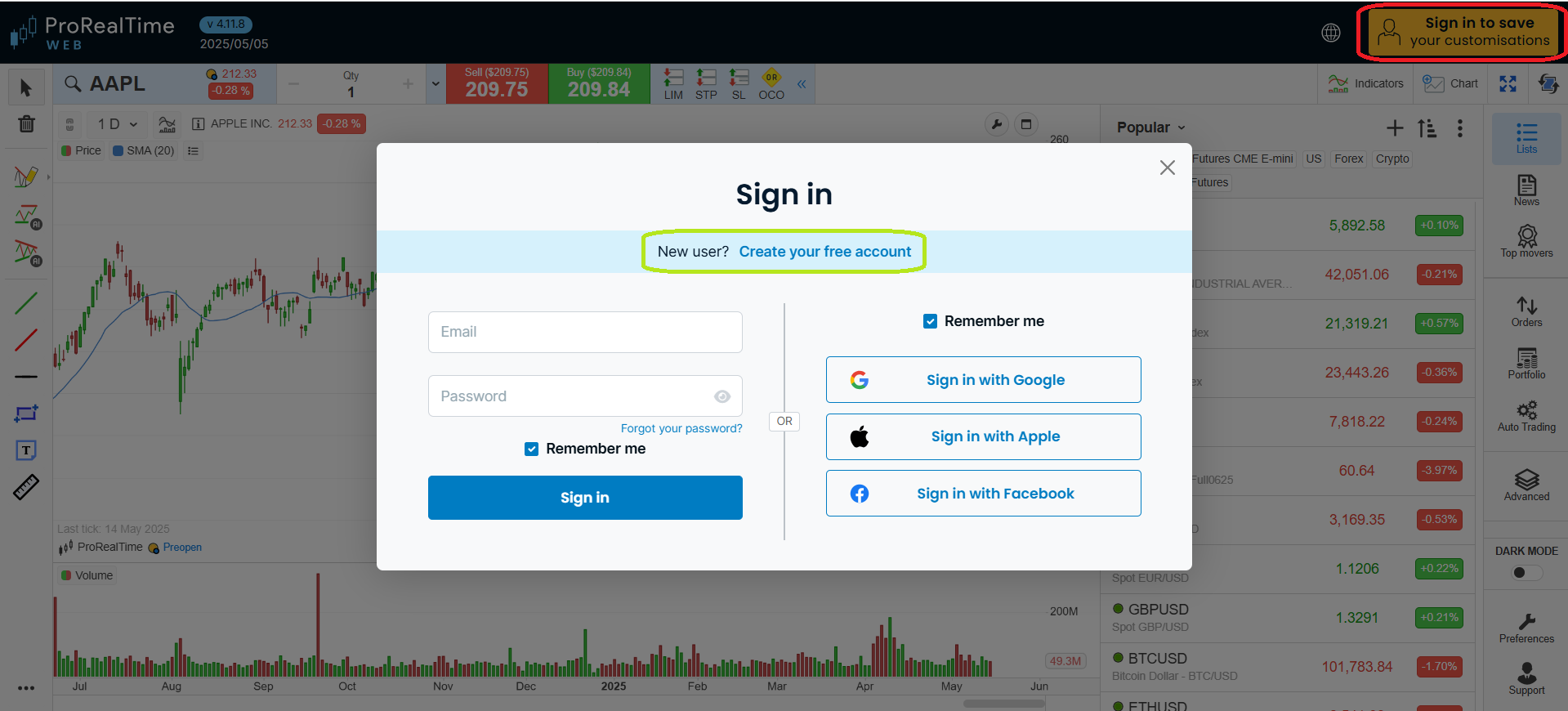
You can register using an email address, or sign in with Google, Apple, or Facebook.

The demo account is free and commitment-free — only your name and email are required.
Accessing the Different Platform Versions
After registering with ProRealTime, you’ll gain access to:
- A mobile trading app
- The web platform
- A desktop version for download
- A dedicated support contact
- Brokerage integration options
- Video tutorials, including a “First steps with ProRealTime” guide

ProRealTime Web and Mobile Features
Both the web and mobile versions of ProRealTime offer:
- Advanced charts
- 100% free watchlists
- A virtual trading portfolio (Paper Trading)
Paper Trading lets you trade and test strategies without risking money. You can set an initial virtual balance and define the transaction fees to match real market conditions.


ProRealTime Software
To unlock even more features, download the full desktop version for Mac or PC via “Start ProRealTime Complete version.”
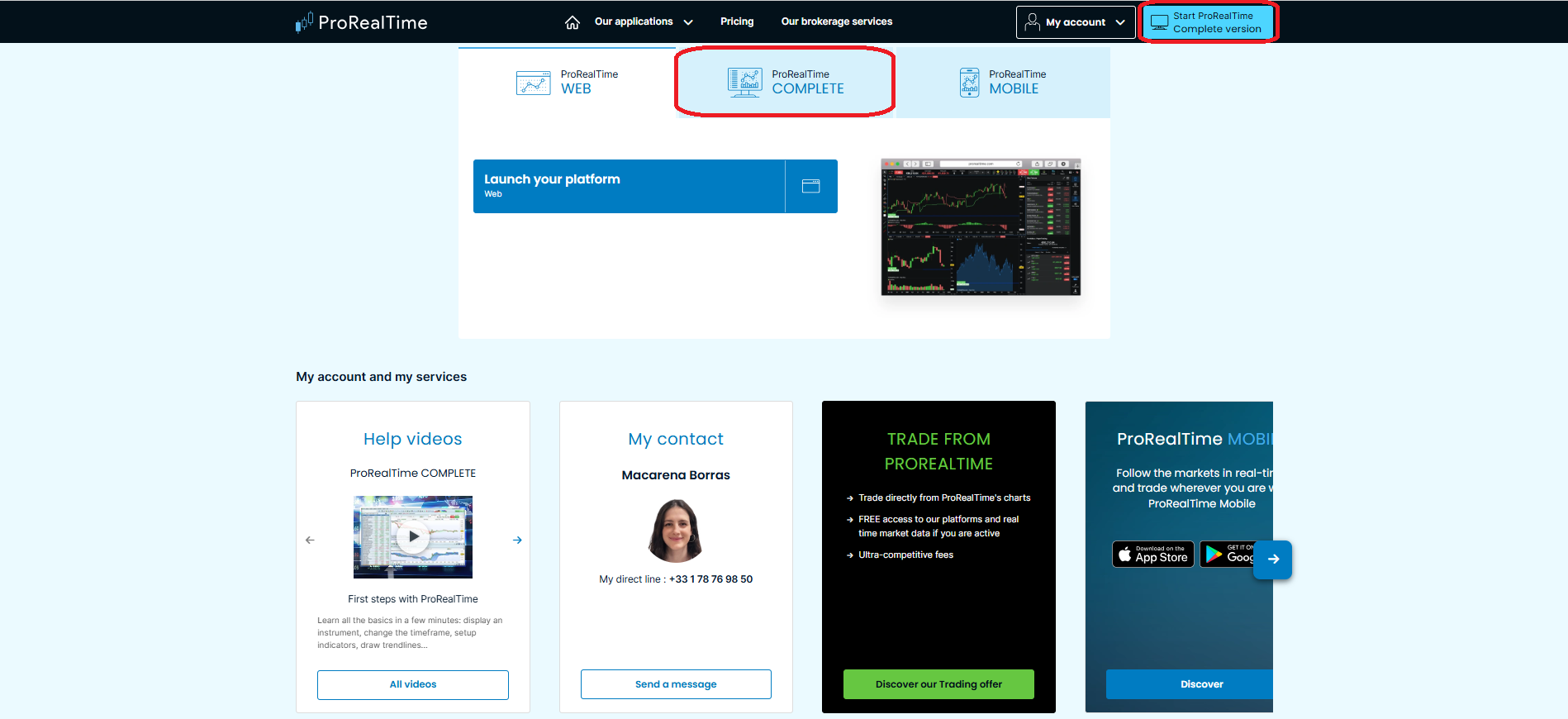
You’ll have two options:
- Use the full version free with end-of-day data, by clicking “No thanks, maybe later”
- Or try real-time data for free for two weeks — no obligation

We tested the Mac installation: it’s a simple setup.
Download the file, launch it, and follow the on-screen steps. Once installed, you’ll access a professional-grade technical analysis platform.

The free desktop version only includes end-of-day data and doesn’t support PaperTrading unless you subscribe. The web version, however, is free and includes key features right out of the box.
3. Upgrading to the Complete ProRealTime Version
To unlock the platform’s full potential — including real-time data and Paper trading on the desktop version — you’ll need to either activate real-time or open a brokerage account.
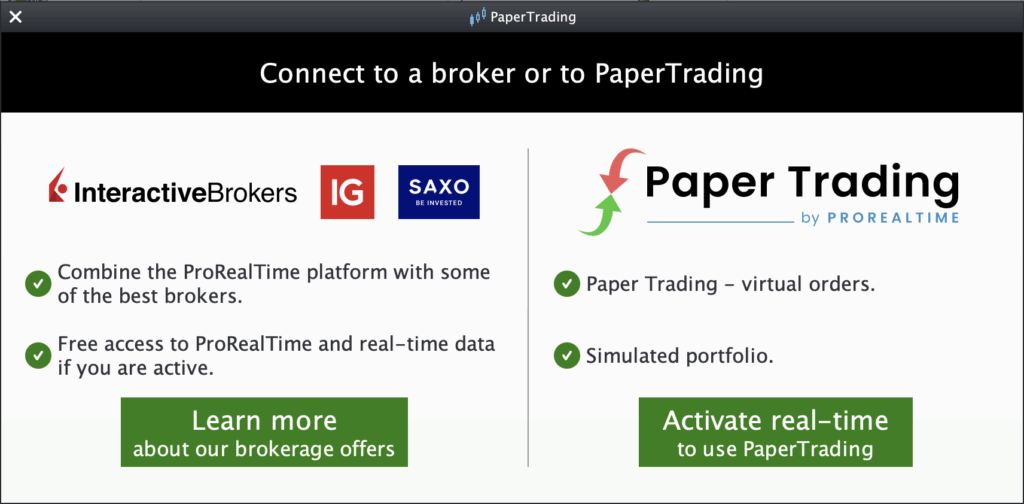
Real-Time Data and Paper Trading Access
A ProRealTime paid license unlocks the full power of the desktop software. With it, you gain access to both real-time market data and your virtual trading portfolio (PaperTrading).
Real-time data is available for the following markets:
- European stocks
- U.S. stocks
- Forex
- Cryptocurrencies
Other instruments — including additional stocks, futures, and options — are displayed with a 15-minute delay.
The paid version of ProRealTime unlocks advanced technical analysis tools, extended historical data, backtesting, multi-chart layouts, and fully customizable workspaces—so you can tailor the platform to your trading style.
Brokerage Options via ProRealTime
If you want to trade live markets directly from the platform, you’ll need to open a real-money brokerage account. ProRealTime offers integrations with three major brokers:
- Interactive Brokers
- Saxo Bank
- IG
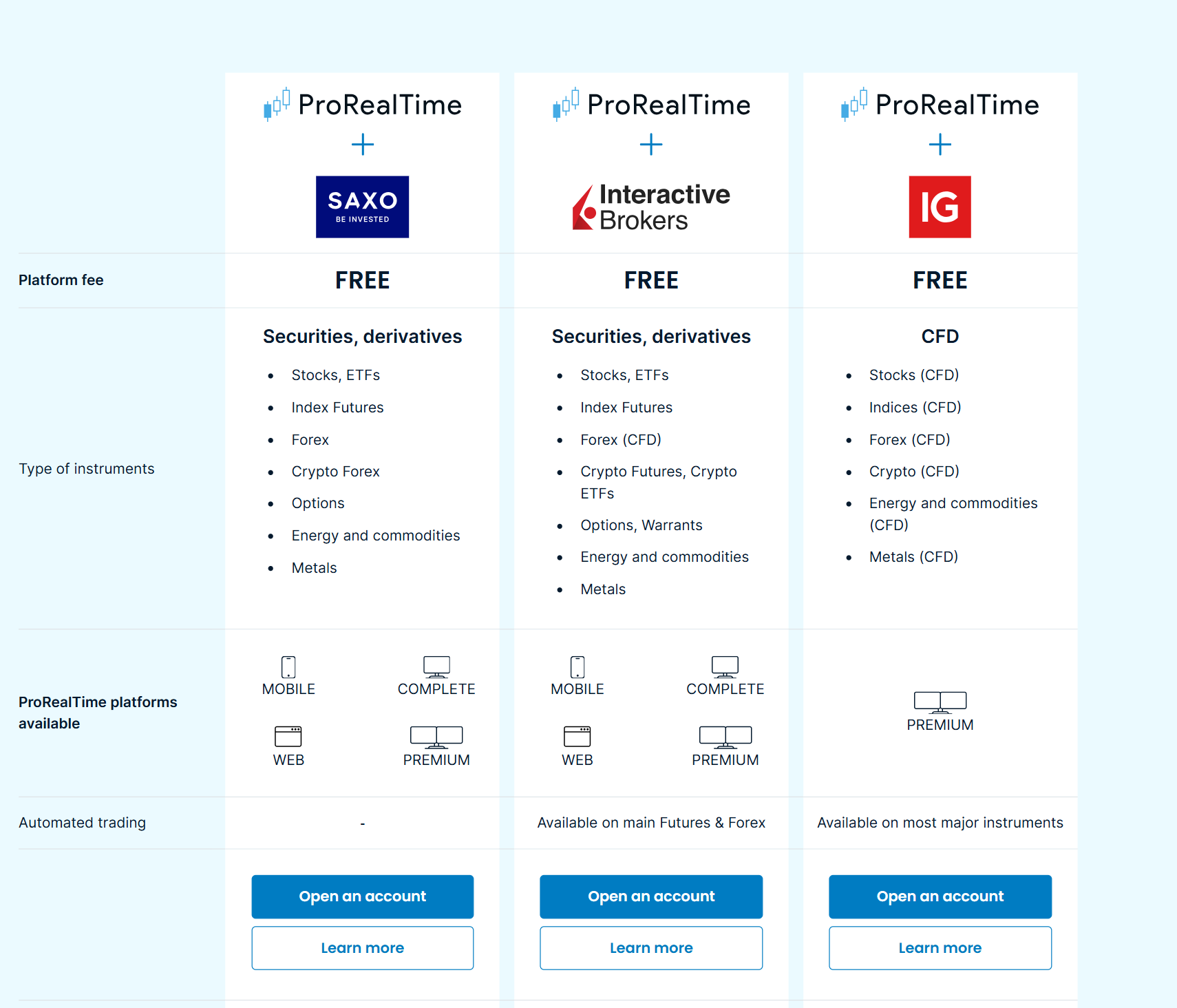
Final Thoughts
Getting started with ProRealTime is flexible and easy:
- You can track charts and quotes without creating an account.
- Want to explore more? Register for a free demo on web, mobile, or desktop (with end-of-day data).
- Need full features and PaperTrading? Activate real-time access or buy a monthly license.
- Ready to trade live? Connect a brokerage account like Interactive Brokers, Saxo, or IG.

Othmane has been swing trading for years and builds on experience in investment banking. He writes regularly about trading and market analysis, and has passed Level I of the CFA Program along with earning a double Master’s degree in Financial Analysis.