TrendSpider Review: Is the Trading platform Worth its Cost?


Thinking about using TrendSpider? With hours spent exploring its features and testing its tools in real trading scenarios, this review is designed to answer one question: is it worth your time and money?
TrendSpider is known for its advanced automation, unique raindrop charts, and customizable alerts. But how does it perform in real-world trading, and is it better than the alternatives?
Here’s what you’ll learn in this review:
- The standout features (and limitations) of TrendSpider
- Who it’s best suited for—and who might want to skip it
- How it measures up against competitors like TradingView
By the end, you’ll have a clear understanding of whether TrendSpider fits your trading needs. Let’s get started.

TrendSpider is an AI-powered trading platform built for traders who want to step up their game with automation, strategy testing, and advanced charting tools without necessarily having to do a full-on course in programming. It’s got a host of features like AI-driven trend detection and one-click multi-timeframe analysis, making it a go-to for traders who are attracted to more data-driven decisions without spending hours building PhD-level models.
While it’s very powerful, there is a learning curve, and you will have to find a way to connect the platform with your broker. But with real-time data, customizable alerts, and a community of over 15,000 users, TrendSpider is a solid choice if you’re looking for a next-level trading platform that does a lot of the heavy lifting for you.
About TrendSpider: TrendSpider, founded in 2016 by CEO Dan Ushman and CTO Ruslan “Rus” Lagutin, is a Chicago-based company specializing in automated technical analysis software for traders. The platform was developed to address inefficiencies in manual chart analysis, aiming to provide traders with tools that enhance accuracy and efficiency. Since its inception, TrendSpider has grown to serve tens of thousands of active traders worldwide, offering innovative features like a fully customizable automation engine and advanced alert systems.
| Fast facts |
|---|
| Offers Standard, Premium, Enhanced, and Advanced subscription plans, providing automated technical analysis, real-time data, and alerts, with higher tiers adding more alerts, trading bots, and priority support |
| Designed for retail traders, active investors, and professional analysts who rely on automated technical analysis and smart charting. The platform supports stocks, ETFs, forex, futures, cryptocurrencies, and indices |
| Strategy Testing, Backtesting, and AI modelling |
| Smart Alerts & Trading Automation |
| Real-time data |
| Over 15,000 traders worldwide, engaging through webinars, educational resources, and an active Discord server to share insights and strategies. |
| Overall rating based = 82 % |
Who is TrendSpider for?
While TrendSpider leans more towards the seasoned professional trader and analyst, beginners can also benefit from AI-driven trend detection and smart alerts, which simplify charting and reduce the need for manual analysis. The more advanced features are more accessible in the higher-tier plans, so the novice trader can stick to the standard package.
My first look was at TrendSpider’s dashboard, which acted like a consolidated analytical hub for stocks, letting me quickly see a high-level market overview with top movers, insider trades, and unusual options flow.


It even tracks corporate events like earnings and dividends in real time and highlights pattern breakouts, making it super simple to spot opportunities without digging through multiple platforms.


Whether you’re checking charts or scanning for the latest trends, the layout is intuitively organized so you can jump right into what matters most for your trading strategy.
Indeed, TrendSpider’s multi-timeframe analysis and backtesting tools provide deep market insights for active traders, swing traders, and those trading options or crypto.

Another feature is TrendSpider’s multi-symbol view, which is perfect if you like keeping an eye on multiple charts at once. Whether it’s stocks, crypto, or forex, you can track them side by side, annotate patterns, and drop trendlines in real time.
The built-in pattern recognition works across each chart, so you’ll know right away, for instance, if there’s a wedge or breakout formation brewing. It’s all about making quick, informed comparisons without needing to flip between tabs or platforms.

Customizable alerts help track price movements, and options traders can analyze open interest and implied volatility directly as part of their workspace.

For wannabe quants and high net worth investors, the platform’s no-code trading bots, market scanners, and seasonality analytics offer automation and advanced strategy-building tools equivalent to the typical hedge fund.
Taking a closer look, TrendSpider’s market scanner lets you pinpoint exactly what you’re looking for. It can be a specific candlestick pattern, a breakout, or even something more unusual like a multi-factor setup. You can tweak the conditions in plain English, run the scan, and instantly see which stocks meet your criteria. No advanced coding required!

Also, TrendSpider’s strategy backtester lets you experiment with pre-built setups, or you can build your own from scratch. You can even purchase custom strategies from their store if you are looking for something extra fancy. The results layout is both clear and eye-catching, giving you performance metrics that match up with what you’d expect from other top tier platforms, but in a more visually appealing format.

Furthermore, AI-powered models help identify trade setups and those who need a much deeper dive in their customization of indicators and strategies, there is the opportunity to build them in Javascript.

Overall, TrendSpider is a feature-rich platform designed for the sophisticated trader who needs help with coding and automation
However, TrendSpider doesn’t connect directly to brokers, you’ll still need to set up a separate brokerage account. Their workaround is SignalStack, which connects TrendSpider to your brokerage account.
TrendSpider: A quick overview
| Category | Details |
| Fees and Pricing | Standard – $708/Year Premium – $1,188/Year Enhanced – $1,596/Year Advanced – $2,796/Year |
| Platform Types | Desktop, Web & Mobile |
| Ease of Use | Extremely comprehensive but has a steep learning curve |
| Trading Tools & Resources | Advanced charting, indicators, backtesting & AI modelling |
| Paper Trading | Can connect to demo brokerage accounts |
| Customer Support | Standard support for Standard & Premium, priority support for Enhanced & Advanced |
| Community & Social Features | Active community with over 15,000 traders. There are webinars, Discord server, and educational resources |
| User Ratings & Feedback | 4.2 / 5 on Trustpilot |
Breaking Down TrendSpider Plans and Subscriptions Costs
TrendSpider offers a range of subscription plans designed to cater to traders with varying needs and experience levels. Below is an overview of the available plans:
All Subscription Plans come with:
- Real-time market data
- Charting & analysis tools
- Idea generation suite
- Strategy development suite
- AI Strategy lab suite
- Trade timing suite
| Plan Name | Monthly Cost | Annual Cost | Key Features |
|---|---|---|---|
| Standard | $89 | $708 | – 5 open workspaces – 5 trading bots – 10 Alerts (30-day expiration) – 2 hours backtesting (2K depth) – 2 hours scanning – Standard support – 1 training session per year |
| Premium | $149 | $1,188 | – 10 open workspaces – 10 trading bots – 50 alerts (90-day expiration) – 5 minutes backtesting (10K depth) – 5 minutes scanning – Standard support – 2 training sessions per year |
| Enhanced | $199 | $1,596 | – 15 open workspaces – 50 trading bots – 100 alerts (180-day expiration) – 1 minute backtesting (20K depth) – 1 minute scanning – Priority support – 3 training sessions per year |
| Advanced | $349 | $2,796 | – 20 open workspaces – 100 trading bots – 400 alerts (365-day expiration) – 1 minute backtesting (30K depth) – 1 minute scanning – Priority support – Up to 52 training sessions per year |
Plan Details
- The Standard plan provides automated technical analysis and alerts for traders who do not need advanced strategy testing or bots.
- The Premium plan expands capabilities with enhanced scanning, additional alerts, and limited automation.
- The Enhanced plan includes frequent backtesting, greater automation, and priority support for traders who need more advanced tools.
- The Advanced plan is designed for professionals and firms requiring full automation, deep backtesting, and extensive workspace customization.
Additional Information
- A 14-day trial is available for a one-time fee of $19 for Standard, $29 for Premium, $39 for Enhanced, and $49 for Advanced. There is no free trial.
- Real-time market data is included for stocks, ETFs, forex, futures, and cryptocurrencies, though some data may require additional fees.
- Customer support levels vary, with Standard and Premium users receiving general support, while Enhanced and Advanced users get priority service and personalized training.
- Subscriptions can be modified or canceled at any time, with billing adjustments applied accordingly.
- Pricing and features are subject to change, and the latest details are available on TrendSpider’s pricing page.
Note: Pricing and features are subject to change. For the most current information, please visit TrendSpider’s official pricing page.
Comparing TrendSpider with Competitors
Here’s a quick look at how TrendSpider stacks up against other trading platforms.
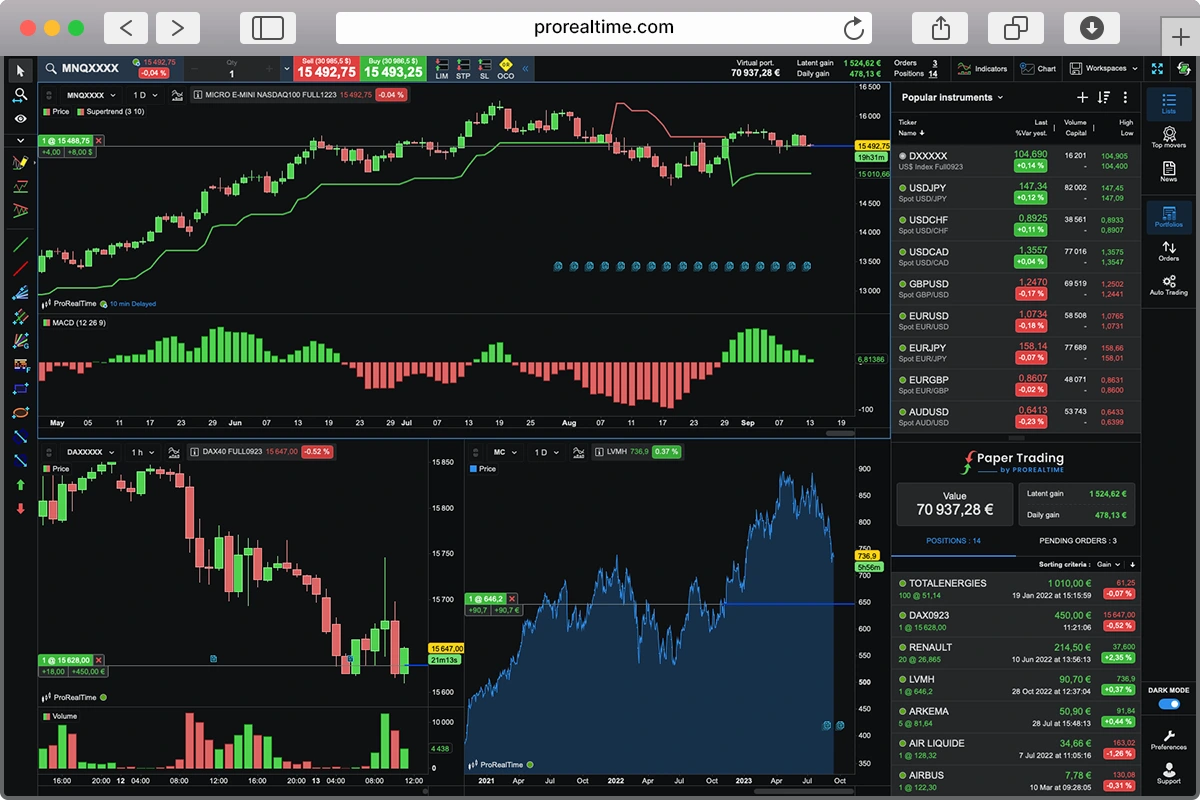
| Criteria | TrendSpider | TradingView | ProRealTime | MTA4 |
| Paper Trading | Demo if you contact them | Free with Ads | 100% Free | Free |
| Pricing | $89/month(Standard) | $33.95/month (Plus version) | $29/month (Complete) | Free |
| Technical Indicators | Over 300+ | 10 indicators per chart | Unlimited | Unlimited |
| Price Alerts | 10 | 100 | Unlimited | Unlimited |
| Free Plan Available | No | Yes, with ads | Yes, 100% free | Free platform but requires a broker |
| Trustpilot Score | 4.2/5 of 193 reviews | 1.9/5 of 794 reviews | 4.8/5 of 736 reviews | 1.5/5 of 113 reviews |
| Real-time Data | Embedded | Price details | Price details | Broker dependent |
| Automated Trading | Yes | Yes | Yes | Yes |
TrendSpider Charting and Analysis Tools
TrendSpider combines all the standard features of a charting and analytical trading platform with standout tools like candlestick and bar chart pattern detection and automated Fibonacci detection.
With one click, you can add multiple timeframes to your charts. You can also create your own customized indicators or even buy new ones from the TrendSpider store.

Alerts can be built in natural language. Moreover, TrendSpider’s strategy tester and AI Strategy lab take it a step further, letting you create, train, and deploy automated trading strategies without any coding.
Under the hood, their AI analyzes historical price movements, suggests rules, and helps you uncover patterns you might have missed manually.


You can choose from machine learning models like Logistic Regression or Random Forest, and then optimize them via backtesting, crossbreeding, and trying different model types.

Once happy with the setup, you can overlay signals on your charts, set scanners and alerts, or even integrate them into a broader trading plan. The most amazing part is that little to no code is required to get this done. Nonetheless, Javascript is also available for those who are comfortable coding.


As with any advanced AI system, there are a few quirks you have to deal with. One is the ‘black box’ nature means you don’t always see how it arrives at certain signals, and it’s not fully automated for live trading. Plus, it’s heavily technical driven, lacking more comprehensive fundamental data and analysis like, say, a Tradingview.
Overall, it has first mover advantage with the AI modelling for retail investors. TrendSpider’s innovative platform simplifies complex strategy development and paves the way for more data-driven trading decisions. If you’re eager to explore machine learning in your trading, TrendSpider’s AI tools make the process surprisingly accessible and very FUN!
TrendSpider Market Data and Research
Indeed, the platform’s market data and research go beyond simple price charts. You’ll find widgets for news wires, analyst reports, and estimates that can be conveniently placed in your workspace.


Plus, there is an intuitive seasonality widget that gives you a quick snapshot of how certain assets tend to behave over time.

If you’re into options trading, TrendSpider has you covered. You can view expiration dates, premiums, and strike prices all on a single visual layout for stocks. Additionally, insider activity is also just a click away, giving you real-time insights into what company insiders are doing.

And that’s not all. The platform lets you layer on even more event data like analyst estimates, r/WallStreetBets mentions, short volume, market breadth, and even Fed data. It’s basically a customized command center for staying on top of market-moving information.

TrendSpider User Experience and Accessibility
Apart from the AI usage, another great part of using TrendSpider is how everything feels endlessly customizable without ever being overwhelming. It’s like having all the data and charting tools you could ask for, yet the interface remains clean, and you’re always just a click away from whatever you need. If you want a minimalist workspace, you can strip it down to the basics. On the other hand, if you love clutter, you can pack in tons of widgets and indicators. TrendSpider is flexible enough to handle both.
Is TrendSpider Legit?
Absolutely. The company is a privately held, venture-backed trading software company headquartered in Deerfield, IL. Founded in 2016 by Dan Ushman, it’s accredited by the Better Business Bureau with an A rating, which speaks volumes about its reputation. They’re transparent about following all relevant laws and regulations, and at the time of writing there’s no record of major legal issues.
TrendSpider “Customer Reviews”

Altogether, TrendSpider has a rating of 4.2 on Trustpilot from about 200 reviews, and the user experiences run the gamut.
One reviewer calls it “hands down the best” after trying other platforms. Another praises its auto-bot trading for making daily resets a breeze, while still pointing out that overnight positions require manual stops.
Meanwhile, a third user raves about TrendSpider’s ease of use and backtesting features but notes that some trading style limitations and differences between backtesting logic and real bot execution can be frustrating.
All in all the vibe is positive. Users love the flexible automation and feature-rich environment, but a few folks mention areas for improvement, like direct brokerage integration or more transparent AI logic.
Final Thoughts
After a deep dive into the platform, TrendSpider stands out for its AI-powered approach. This approach blends automated technical analysis with flexible customization, making it easier for advanced traders and even curious beginners to fine-tune complex strategies without heavy coding.
The multi-timeframe analysis and AI Strategy Lab are genuine game-changers for those who crave deeper, data-driven insights. Additionally, the platform’s design keeps everything feeling approachable rather than overwhelming.
Admittedly, there’s a learning curve if you’re new to technical analysis, trading or AI-based tools, and higher-tier pricing might be a barrier for more casual traders. Still, if you’re looking for a robust, forward-thinking platform to level up your trading, especially if you value automated strategies, TrendSpider’s unique suite of features makes it a solid option worth exploring.

Cedric is a seasoned investment management strategist with over a decade of experience, currently working at TTUTC. He holds dual prestigious designations as a Chartered Market Technician (CMT) and Chartered Financial Analyst (CFA).