9 Best Mobile Trading Apps in 2026


Most stock trading apps are built for passive investors. They’re fine for checking prices or holding long-term positions, but not for trading.
If you want real-time charts, quick order entry, and tools that keep up with market volatility, you need more than the basics.
This guide highlights the mobile platforms built for active traders. We looked at chart reliability, order speed, smart alerts, and the flexibility to match your style. So you can react, not just watch.
 Why trust us
Our reviews are built on real-world experience. We work closely with experienced traders who’ve spent dozens of hours testing these platforms to ensure each recommendation is reliable and practical. Visiting the tools we mention through the links on our website may generate a commission that helps support our mission to make trustworthy financial knowledge free and accessible for everyone—at no extra cost to you. Thank you for supporting us!
- Tested by traders, not marketers
- 30+ hours of testing
- Designed to help beginners


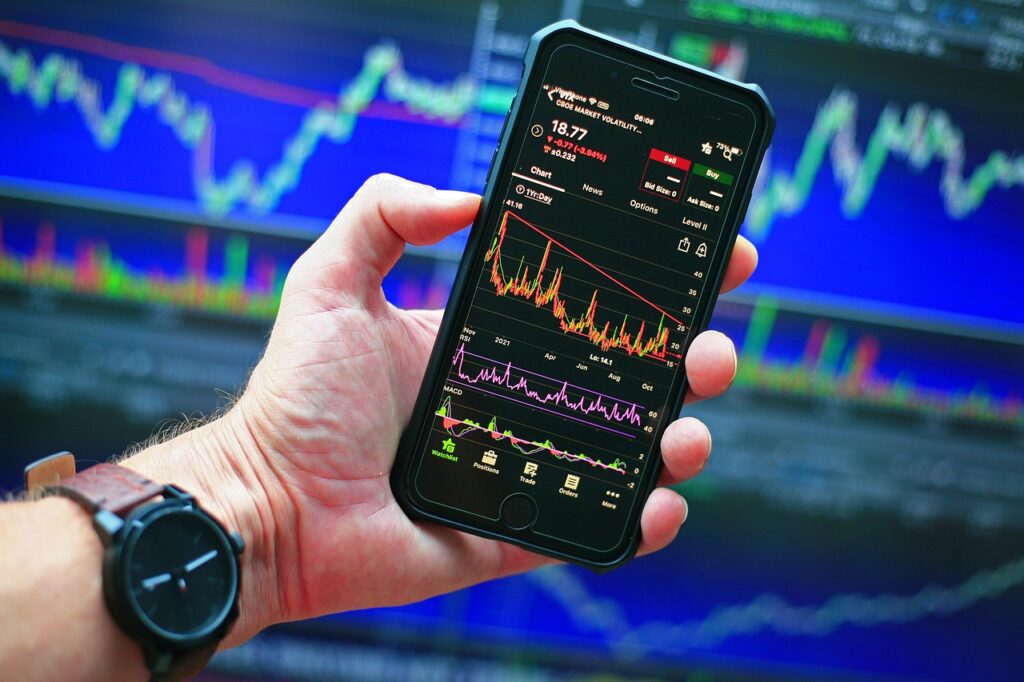
For active traders, a mobile app is how you check a position on the train, close a trade from a cafe, or catch a breakout when your laptop is in the other room. That only works if the app can actually keep up.
Here’s what sets pro-level apps apart from basic ones:
- Order types: Look for stop loss, take profit, and trailing stop orders. Ideally, the same options as on desktop.
- Charting and indicators: Your mobile charts should mirror your desktop. Clean, fast, and customizable.
- Alerts and watchlists: Alerts and watchlists should sync automatically across devices.
- Execution speed: Mobile trading should feel instant. If it lags, it’s not built for real use.
- Market access: Make sure the app supports the markets you trade: stocks, crypto, FX, indices.
- Reputation: Go with apps that are trusted by traders and have proven staying power.
- Regulation: EU-based traders need platforms regulated in the EU or EEA, especially if they are trading CFDs (which are banned or restricted in many countries).
We’ll call out these features where they matter most in the nine apps below.
What are the Best Mobile Trading Apps in 2026?
We tested dozens of mobile trading apps. Most are built for people who check their portfolio once a week. These nine are for everyone else.
| App | Best For | What You Pay |
|---|---|---|
| ProRealTime | Technical analysis | Free charts, $32/mo for premium. Broker fees on top |
| TradingView | Charting & community | Free basic, from ~$13/mo. Broker fees on top |
| IBKR Mobile | Global markets | From €3/trade, no subscription |
| SaxoTraderGO | Investing | From ~€2/trade, no subscription |
| IG Markets | Forex & CFDs | Spreads from 0.8 pips, no subscription |
| XTB xStation | CFD trading | 0% stocks up to €100K/mo, spreads on CFDs |
| Trade Republic | Mobile-first EU | €1/trade, no subscription |
| Trading 212 | Commission-free EU | 0% stocks, 0.15% FX fee |
| DEGIRO | Low-cost EU investing | €1/trade, Core ETFs first trade/month free |
1. ProRealTime Mobile
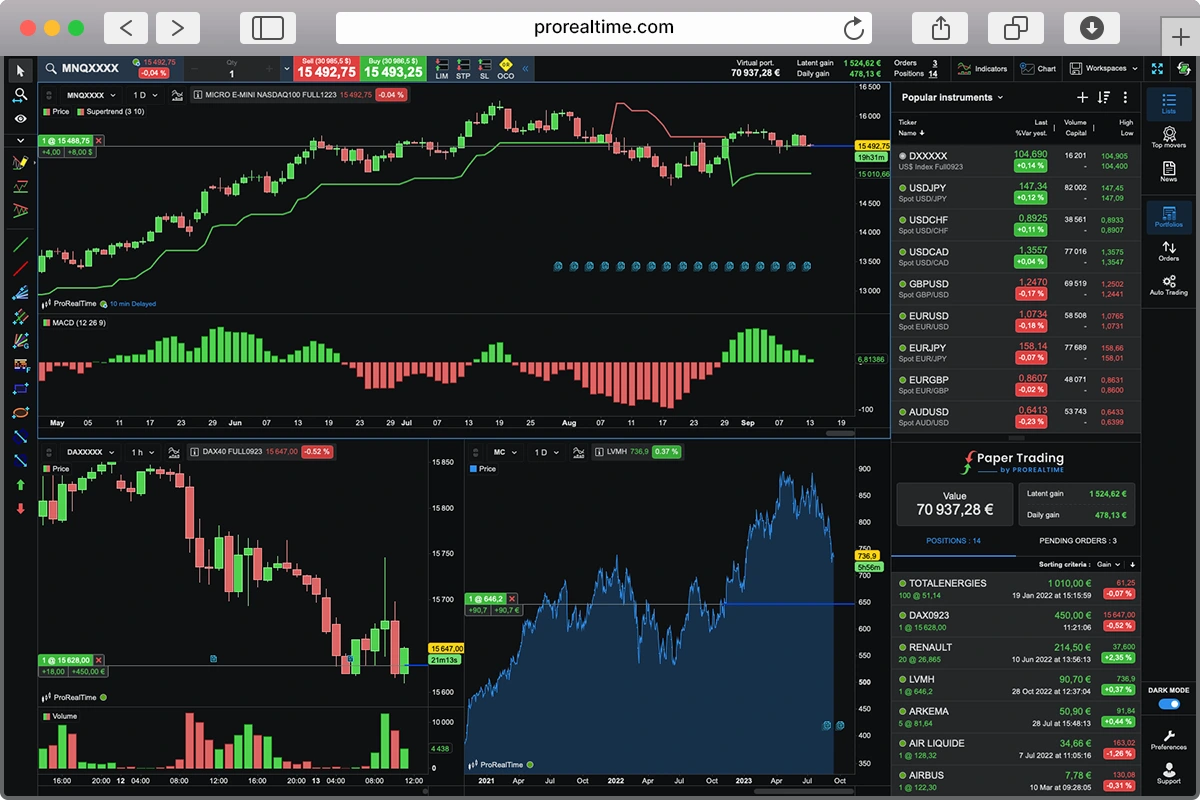
Founded in 2001, ProRealTime is one of the most popular and comprehensive trading platforms available. Its high-performance features are tailored to active traders, with arguably one of the best charting and analysis tools on the market.
Also available in web and desktop versions, the mobile app gives you immediate access to the markets wherever you are. Monitor positions in real time, place orders, track indicators, and conduct technical analysis on the go.
ProRealTime has more than one million users worldwide, and has been a firm favorite of technical traders for decades.
ProRealTime’s mobile app is free, with over a million users globally. It covers stocks, FX, and crypto, with some of the most accurate mobile charting out there.
You get:
- Tick-level precision
- Built-in and custom indicators
- Multi-timeframe analysis
- Smooth, responsive charts
- Fully customizable templates
The app also includes a full paper trading simulator using live or historical data. When you’re ready to trade for real, you’ll need to connect one of ProRealTime’s compatible brokers: Interactive Brokers, IG, or Saxo, among others.
2. TradingView

With over 100 million users worldwide, TradingView is one of the most widely used platforms around. For mobile-first traders, it offers one of the most polished and responsive app experiences on the market.
TradingView delivers fast, high-performance charting with multi-timeframe analysis, hundreds of built-in indicators, and deep customization options. TradingView also stands out for its strong broker integration, enabling direct trade execution through the platform. Combined with programmable alerts that can trigger automated actions, this makes it easier to execute trades on the go without jumping between apps.
100 million users. That’s TradingView’s headcount. The app works the same on your phone as it does on desktop, which is rare.
The mobile app mirrors the desktop experience, with real-time sync across platforms. But most features are paywalled. The Essential plan (€167.88/year) gives you 5 indicators and 20 alerts. Premium (€677.88/year) offers 25 indicators and 400 alerts. Higher tiers add more, at a steep cost.
The interface is clean, but recent updates, especially to the screener, have drawn criticism. User reviews have slipped, with complaints about clutter and degraded usability. It’s still powerful, but not as universally loved as it once was.
3. Interactive Brokers (IBKR Mobile & GlobalTrader)
Interactive Brokers (IBKR) has been a favored platform for professional traders for more than five decades. Best known for its flagship Trader Workstation (TWS) product, institutional investors choose IBKR for its sophisticated algorithms, order execution, and market data.
European traders get access to over 160 global markets, with some of the lowest margin rates and commission structures available. That, combined with direct market access and a smart routing engine, makes it an excellent choice for serious technical traders.
IBKR has been around since the 1970s. Its Trader Workstation (TWS) is what institutional desks use, and the mobile apps carry over most of that firepower: algorithmic routing, custom scanners, analytics that go deep.
Mobile traders can choose between IBKR Mobile and IBKR GlobalTrader. IBKR Mobile brings most of TWS’s power (real-time data, charts, watchlists, global order management) in a compact format. It has a steep learning curve but suits active traders.
IBKR GlobalTrader is a simpler, more intuitive app. It supports trading across 90 global markets, including stocks, options, crypto, and fractional shares. It has a stock scanner, swap-to-trade, and a demo account. Less depth than IBKR Mobile, but far easier to pick up.
You can also plug IBKR into ProRealTime if you want better charts without switching brokers.
The downsides: pricing tiers are confusing, TWS takes weeks to learn, and IBKR Mobile won’t hold your hand. Not pretty. Not simple. But if you need 160 markets in your pocket, nothing else comes close.
4. SaxoTraderGO
Saxo is a Denmark-based bank and broker managing over €115 billion in client assets, serving traders since 1992. Known for its institutional-grade infrastructure, Saxo offers extensive market access, competitive pricing, and a suite of platforms that cater to both long-term investors and short-term, high-frequency traders.
Saxo offers three platforms, each designed for a different trading profile. SaxoTraderGO is the broker’s flagship platform for active traders, which we’ll focus on here. It offers real-time trading from charts, detailed portfolio analytics, margin monitoring, and access to advanced order types.
SaxoInvestor is aimed at long-term investors. While the mobile app is clean and beginner-friendly, it supports basic charting and order placement, it lacks the depth and speed that active traders typically need. SaxoTraderPRO is the most advanced option, built for high-volume, professional-grade trading. But it’s not available on mobile, so we won’t examine it in detail here.
Saxo is a bank, not just a broker. S&P rates it A-. Your deposits are covered up to €100,000 under the EU Deposit Guarantee Scheme. That matters when you’re trusting a platform with real money.
71,000+ instruments across 50+ exchanges. EU stocks from 0.08% (min €2), US stocks from 0.08% (min $1), futures at €3/contract. No custody fees, no inactivity fees. It also integrates with ProRealTime and TradingView, so you can run ProRealTime charts and execute through Saxo.
The mobile app handles the essentials: execute trades, set alerts, check your positions. But the gap between desktop and mobile is noticeable. Charting on mobile is basic compared to the desktop SaxoTrader. No scripting, no automation, and some markets are restricted.
The real friction is administrative. Account setup and transfers are slow. Customer support gets a 3.5/5 on Trustpilot. If you want a single app where you can trade futures, ETFs, and forex under one roof with banking-level regulation, Saxo does that. Just be patient with the onboarding.
5. IG Markets

Founded in 1974 and headquartered in London, IG Markets is one of the most established names in online trading. Regulated by top-tier authorities like the FCA and ASIC, IG serves over 360,000 clients across 19 countries. Its longevity, public listing, and strong compliance framework make it one of the most trusted CFD brokers in Europe—especially for experienced traders who understand leverage, volatility, and risk management.
IG stands out for its deep CFD offering, covering over 17,000 markets, including indices, forex, commodities, and equities. Traders benefit from competitive spreads, Direct Market Access (DMA) on shares, and integration with ProRealTime and MetaTrader 4—ideal for technical analysts and algo traders who demand speed, transparency, and custom strategy support.
The IG mobile app does what most broker apps don’t: it actually works for trading, not just checking. P&L, margin usage, alerts, research, and an economic calendar all live inside the app. The “Explore” tab pulls in real-time news, so you can react to a macro event without opening a browser.
Forex and index traders get the most out of IG. Weekend trading on select markets and forex options let you hedge or react when most platforms are closed.
But IG Markets isn’t for everyone. Beginners may find it overwhelming, and the complexity of CFD trading can be unforgiving. Stock-focused traders may also find IG’s equity CFD fees less competitive than dedicated share-dealing platforms, especially for long-term positions.
If you trade CFDs and know what you’re doing with leverage, IG belongs on your shortlist. If you’re here for stocks or just getting started, look elsewhere.
6. XTB xStation
XTB is a long-standing European broker, founded and developed in Poland. Regulated by the FCA and other top-tier EU regulators, it offers a fast, user-friendly trading experience through its proprietary xStation 5 platform. Both the web and mobile versions of xStation 5 are powerful, intuitive, and easy to use.
XTB has gained strong traction in recent years thanks to zero-commission trading on real stocks and ETFs, plus extras like a free Stocks & Shares ISA (for UK clients) and interest paid on uninvested cash.
It’s best known for providing access to more than 2,000 CFDs including stocks, ETFs, Forex, indices, and commodities.
xStation 5 feels fast. The app loads quickly, orders go through without lag, and the interface packs more than you’d expect. A built-in screener filters stocks and ETFs by market cap, P/E, dividend yield, and sector. A heatmap shows you which markets are moving. Client sentiment data tells you how other XTB traders are positioned. All free, no paid add-ons.
XTB also bundles an eWallet with a multi-currency Mastercard (1% cashback), so your trading account doubles as a spending account. Useful if you want everything in one app.
The ceiling: no backtesting, no algo trading, no custom scripts. If you want to automate strategies, xStation 5 can’t do it. But for the 90% who trade stocks, ETFs, and CFDs manually on the go, it’s hard to fault.
7. Trade Republic

Trade Republic is a German neobroker with a full ECB banking licence, supervised by BaFin and the Bundesbank. Every trade costs €1 flat, no commission, no spread markup. Stocks, ETFs, bonds, crypto, derivatives, across 18 EU countries.
~13,000 products: 8,000 international stocks, 1,000 ETFs, 500 bonds, plus crypto and derivatives. Since July 2026, orders run through Best Price, which aggregates 30 exchanges at €1, or Direct Price, which lets you pick your venue for €2. No currency conversion fees either way.
Open the app and you’ll notice what’s missing: no multi-chart layouts, no custom indicators, no drawing tools worth mentioning. What you get instead: savings plans from €1, interest on cash up to €50,000 (rate follows the ECB), a debit card with 1% cashback, and free ATM withdrawals. Cash is held at Deutsche Bank and J.P. Morgan, securities at HSBC.
One thing to know: Trade Republic long routed all orders through Lang & Schwarz and earned Payment for Order Flow (PFOF) on the spread you don’t see. PFOF is banned EU-wide since 30 June 2026, and Trade Republic’s answer is the Best Price model: an aggregated order book across 30 exchanges, with Trade Republic acting as your counterparty.
Trade Republic reached profitability in 2024 after raising $1.4 billion across 5 rounds. The banking licence, card product, and interest on cash are their post-PFOF play. It’s not a startup running on hope. But it’s deliberately not built for technical traders. If you want to manage a portfolio cheaply and check it from your phone, this is it.
8. Trading 212

Trading 212 has been around since 2004, long before “commission-free” became a marketing buzzword. Based in London, regulated by the FCA and CySEC, with over 15 million app downloads.
The app runs two modes. Invest lets you buy real shares and ETFs with zero commission and fractional shares from €1. CFD mode is leveraged trading with spreads. Stick to Invest unless you know exactly what you’re doing with leverage.
Day-to-day, the app feels faster and less cluttered than IBKR Mobile. Watchlists sync instantly, order execution is quick, and the interface stays readable even with a dozen positions open. The catch: you pay a 0.15% FX fee every time you trade a stock listed in a different currency than your account. On US stocks, that adds up.
No ProRealTime or TradingView integration. Your charting lives inside the app, and it’s basic. But if you want to buy stocks and ETFs across EU markets at zero cost, and you don’t need a charting powerhouse, Trading 212 punches above what you’d expect for a free app.
9. DEGIRO

DEGIRO is part of flatexDEGIRO Bank AG, supervised by BaFin. Founded in the Netherlands in 2013, it now serves millions of clients across 18+ European countries. The platform gives access to 50 exchanges worldwide, covering stocks, ETFs, bonds, options, and futures.
Most low-cost brokers give you one or two exchanges. DEGIRO gives you 50. Euronext stocks cost €2 per order (€1 fee + €1 handling). Futures at €0.75/contract, options at €0.75/contract. Core ETFs get a free first trade each month. No custody fees, no inactivity fees, no minimum deposit. Currency conversion runs at 0.25% when you trade in a foreign currency.
The mobile app is functional, not sophisticated. Check positions, place orders, set alerts. No demo account, no paper trading, no advanced charting. If you need analysis, run it on ProRealTime or TradingView and come back to DEGIRO to execute. Trustpilot gives it a 4.6/5, though phone support gets overwhelmed at peak hours.
No CFDs, no crypto, no forex. No PEA for French investors. Just stocks, ETFs, bonds, futures, and options across 50 exchanges, at some of the lowest fees in Europe.
Final Thoughts
Frequently Asked Questions
What is the best mobile trading app?
It depends on what you trade. ProRealTime is hard to beat for charting and technical analysis on mobile. IBKR Mobile gives you the widest market access. XTB xStation is the fastest for CFDs. Trade Republic and Trading 212 win on cost if you’re mostly buying stocks and ETFs. There’s no single best app, only the best app for your setup.
Is mobile trading safe?
Yes, as long as you stick to regulated platforms. Every app in this guide is regulated by at least one major EU authority (FCA, BaFin, CySEC, or DFSA). Your funds are held in segregated accounts, separate from the broker’s own money. The real risk isn’t the app itself, it’s trading with leverage or without a plan.
Can you day trade on a mobile app?
You can, but with limits. Apps like ProRealTime Mobile and IBKR Mobile support real-time charts, fast order execution, and multiple order types, enough for intraday trades. But screen size constrains multi-chart analysis, and latency on mobile networks can cost you on fast-moving entries. Most day traders use mobile as a backup to their desktop, not a replacement.
What should I look for in a trading app?
Five things matter most. Charting quality: can you read price action clearly on a small screen? Order types: does the app support stop-loss, take-profit, and trailing stops? Sync: do your watchlists and alerts carry over from desktop? Speed: does it lag when volatility spikes? And regulation: is the broker licensed in your country? Everything else is nice to have.
Are “commission-free” trading apps really free?
No. Every broker makes money somewhere. “Commission-free” usually means the cost is hidden in wider spreads, FX conversion fees, or Payment for Order Flow (PFOF), where the broker routes your order to a venue that pays them for the flow. EU regulators found that PFOF trades execute at worse prices in the majority of cases, costing retail investors €1-3 per €1,000 traded. The EU banned PFOF in March 2024, with Germany’s exemption expiring in June 2026. After that, brokers will need new revenue models. Trade Republic currently uses PFOF. Trading 212 says it doesn’t, but charges a 0.15% FX fee instead. Platforms like ProRealTime and TradingView charge a subscription. IBKR and Saxo charge per-trade commissions. The honest brokers tell you what you pay upfront.
Final Thoughts
Mobile trading isn’t about replacing your full setup. It’s about staying connected when you step away, monitoring key levels, reacting to news, adjusting positions, or exiting when the market turns.
Apps like ProRealTime and IBKR Mobile give you serious tools in your pocket. Others, like xStation 5 or Trade Republic, prioritize speed and simplicity. Trading 212 and DEGIRO lower the cost barrier to near zero.
You won’t build or test a strategy from your phone, but you can stay in the trade when it counts. Pick the app that matches how you actually trade, not the one with the longest feature list.

Othmane has been swing trading for years and builds on experience in investment banking. He writes regularly about trading and market analysis, and has passed Level I of the CFA Program along with earning a double Master’s degree in Financial Analysis.