
MetaTrader 4/5 Review 2026: Is This Trading Platform Worth It?


MetaTrader is the most downloaded trading platform in the world. It’s also stuck in 2005.
Traders keep coming back for its Expert Advisors, 30+ built-in indicators, and the fact that it’s completely free. But the outdated interface, zero customer support from MetaQuotes, and the gap between MT4 and MT5 raise a fair question: is MetaTrader still worth your time in 2026?
We tested both MT4 and MT5 to break down what works, what doesn’t, and who should consider alternatives.
MetaTrader

MetaTrader is one of the most popular trading platforms out there, and it’s easy to see why. It’s free to use, works on desktop, web, and mobile, and gives you the tools you need to trade forex, futures, and more. While MetaTrader itself is free, you’ll need to connect through partner brokers, and they might charge commissions or fees, which is worth keeping in mind. There’s no official “premium” version, but many brokers put their own spin on the platform, adding tools or perks designed for advanced traders. Its standout features include automated trading through what they call Expert Advisors (EAs), advanced charting capabilities, and a huge library of custom indicators, making it very powerful for technical analysis.
About: MetaTrader was developed by MetaQuotes Software, a company founded in Russia in 2000 and later headquartered in Cyprus. MetaQuotes is best known for introducing automated trading systems and creating tools that have become staples in the trading industry. Their flagship platforms, MetaTrader 4 and MetaTrader 5, are widely used by traders and financial institutions around the world.
Who is Metatrader 4/5 for?
MetaTrader is a solid choice for retail traders looking to automate trading strategies. But it’s not exactly plug-and-play. It comes with a learning curve.
Algorithmic traders love MetaTrader for its customizable Expert Advisors, automated trading systems that execute strategies without manual intervention. These tools can be coded to follow specific rules, such as entering or exiting trades based on market conditions, making them ideal for traders who rely on precision and efficiency. For those who aren’t ready to code their own strategies, the platform also allows users to copy the trades of successful traders.
Professionals count on its advanced charting tools and flexibility, which make technical analysis straightforward. Beginners might feel overwhelmed at first, but the availability of free demo accounts and a highly active community helps new users learn the ropes.
MetaTrader’s versatility is another strength. While MT4 is primarily designed for forex trading, MT5 expands into other markets like stocks, commodities, and futures, catering to traders looking for broader asset coverage. Keep in mind that MT4 and MT5 use different coding languages (MQL4 and MQL5), so strategies coded in MQL4 need to be rewritten for MT5.
Your choice of broker also plays a significant role in your MetaTrader experience. Brokers can customize the platform and offer additional tools, but fees, execution speed, and features will vary depending on the broker. Research carefully to ensure you choose one with reliability and fair pricing.
MetaTrader is available with most major European brokers, including AvaTrade, Pepperstone, IG Markets, and CMC Markets.
One thing to keep in mind: MetaTrader is not as well supported on macOS as it is on Windows. Workarounds like emulators exist, but they can complicate the experience for newer users.
Lastly, MetaTrader doesn’t offer direct customer support. If you need help, you’ll rely on your broker or the active user community for guidance.
| Fast facts |
|---|
| MetaQuotes Software was founded in 2000. MetaTrader 4 (MT4) came out in 2005, and MetaTrader 5 (MT5) followed in 2010, adding support for stocks, futures, and commodities. |
| MT4 is primarily designed for forex trading with 30+ indicators and 9 timeframes, while MT5 supports a wider range of assets with 38+ indicators and 21 timeframes. |
| Available on Windows, macOS, Linux, iOS, Android, and Huawei devices |
| Algorithmic trading through Expert Advisors (EAs) |
| Thousands of custom indicators and scripts via the MetaTrader Marketplace |
| Active community forums with shared strategies and user support |
Is Metatrader 4/5 Reliable/Legit?
MetaTrader has been a trusted platform for many traders for over 20 years, and it is widely recognized for its powerful customization tools and global usage.
However, MetaTrader is a platform, a piece of trading software, not a broker. This means the safety of your capital is mainly tied to the broker you choose. As a general rule, it’s best to stick with brokers that have a long-standing reputation and proven track record, backed by licensing from top regulatory bodies like the FCA in the UK, BaFin in Germany, or CySEC in Cyprus.
MetaTrader also indicates that strong security features like data encryption and secure user authentication are in place to keep user information and transaction protected.
Top brokers will implement additional safeguards such as segregated accountsand investor compensation schemes to keep your money secure. While MetaTrader itself has a solid reputation for security, some brokers don’t always measure up, so it’s important to do your homework and stick with reputable, well-regulated brokers to ensure your investments are safe.
MetaTrader Customer Reviews
Customer reviews for MetaTrader on Trustpilot paint a mixed picture. MT4 holds a 1.5/5 rating across 135 reviews, while MT5 scores 1.3/5 on 190 reviews. Many negative reviews target scam brokers rather than the platform itself, which skews the overall score.
Here is the Trustpilot rating distribution for MetaTrader 4:
| Rating | 5-star | 4-star | 3-star | 2-star | 1-star |
|---|---|---|---|---|---|
| MT4 | 7% | 7% | 3% | 6% | 77% |
For comparison, here is how MetaTrader stacks up against its main competitors on Trustpilot:
| Platform | MetaTrader | ProRealTime | TradingView | cTrader |
|---|---|---|---|---|
| Trustpilot | 1.5/5 | 4.8/5 | 1.5/5 | 4.8/5 |
Metatrader Charting and Analysis Tools
MetaTrader gives you an impressive set of charting tools to help you analyze the markets like a pro. Whether you prefer line charts, bar charts, or candlesticks, the platform lets you visualize trends with ease and precision.
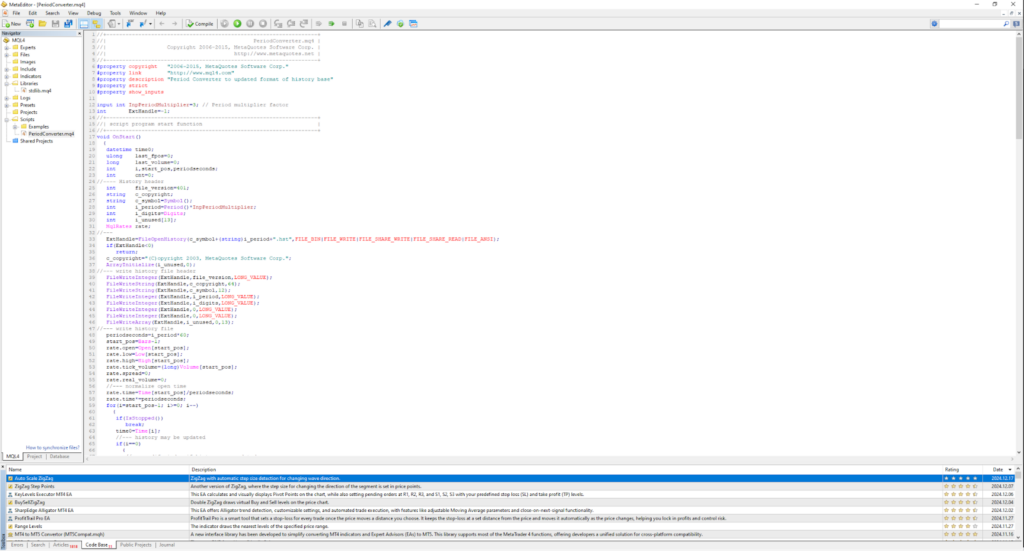
With over 30 built-in technical indicators- like Moving Averages, MACD, and RSI-plus handy drawing tools like Fibonacci retracements and trendlines, you’ve got everything you need for in-depth analysis. If that’s not enough, the MQL programming language allows you to create custom indicators and automate your strategies for a truly tailored trading experience.
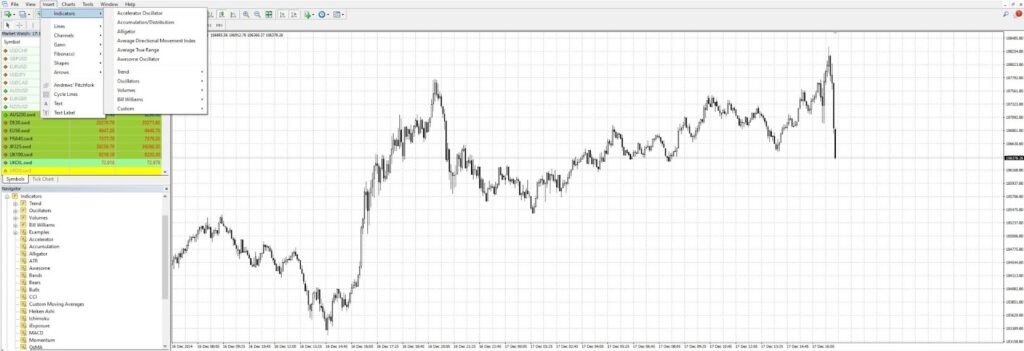
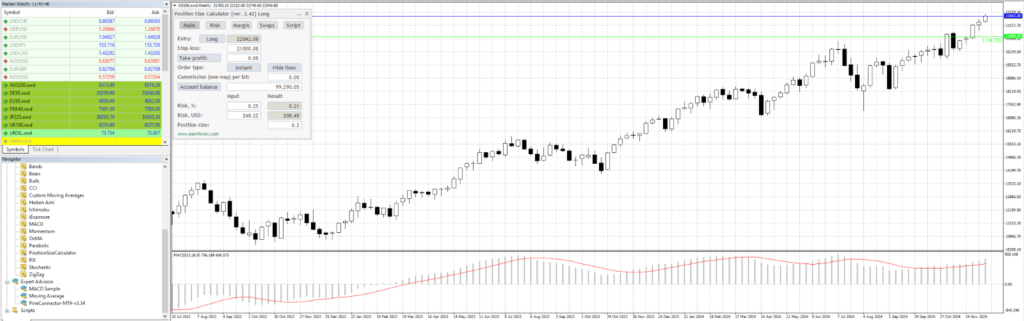
The charting tools are highly customizable, with options for multiple timeframes and detachable charts so you can set up your workspace exactly how you like it. MT4 offers 9 timeframes while MT5 expands to 21, giving longer-term traders more granularity.
Metatrader Market Data and Research
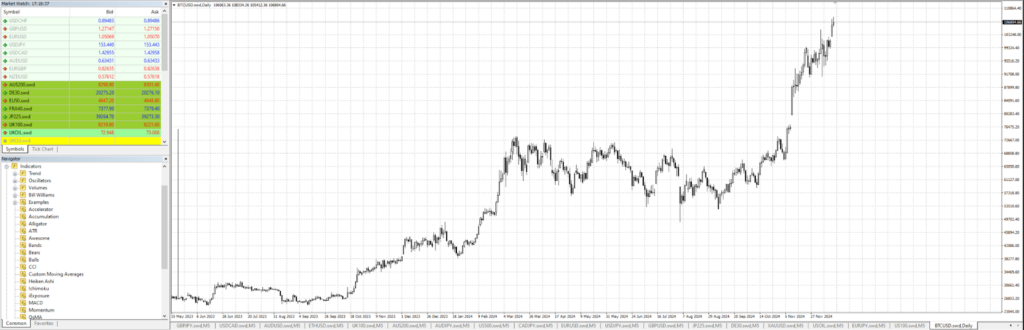
Through the respective partner broker, MetaTrader gives you access to real-time market data for a wide range of asset classes, including forex, commodities, indices, stocks, and even cryptocurrencies.
Data is delivered with minimal latency, which matters for short-term traders. MetaTrader also integrates economic calendars (MT5 only), news feeds from financial providers, and depth-of-market (DOM) features. The quality of market data ultimately depends on your broker, not MetaTrader itself.
Metatrader User Experience and Accessibility
MetaTrader features a clean, functional interface that strikes a good balance between simplicity for beginners and powerful tools for experienced traders. Whether you’re using it on desktop, web, or mobile, the platform is designed to make trading seamless and efficient from anywhere.
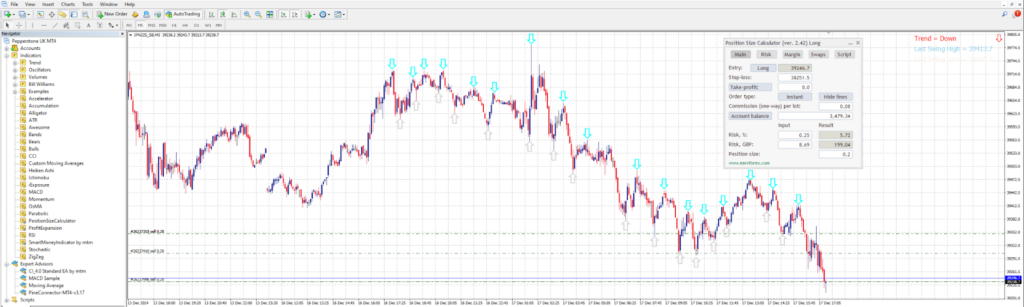
Key features like customizable workspaces, detachable charts, and one-click trading gives users the freedom to personalize their experience and execute trades quickly.
Plus, the active MetaTrader community offers tons of forums, tutorials, and shared strategies, helping traders of all levels make the most of what the platform has to offer.
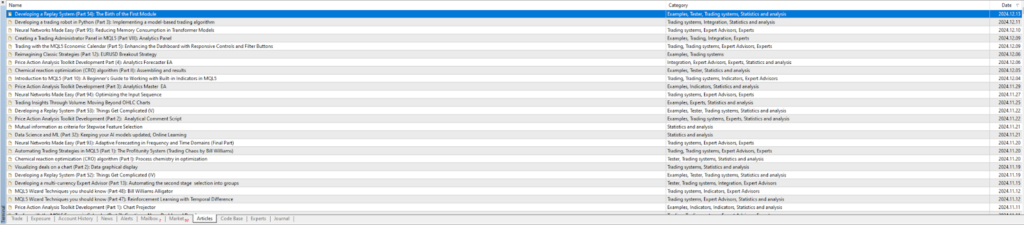
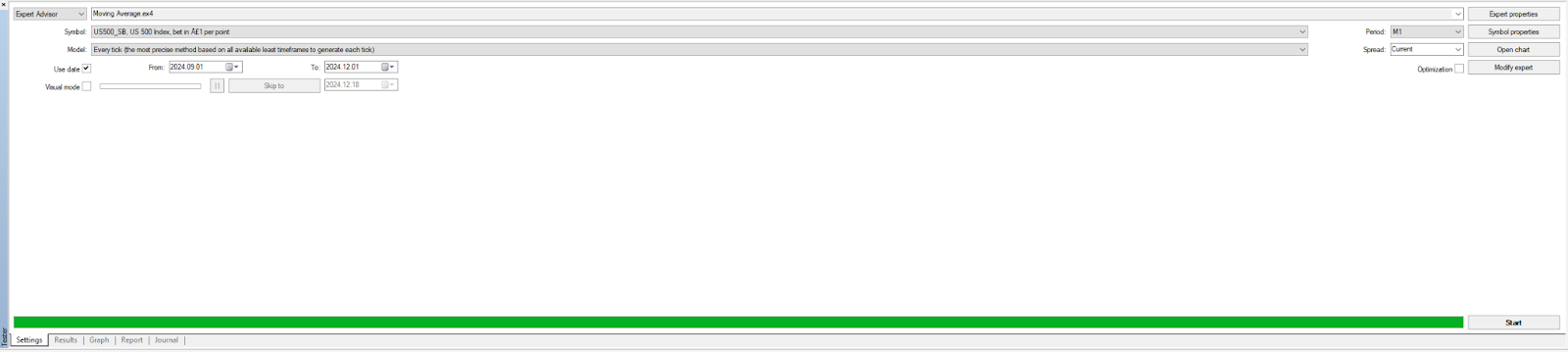
For beginners, Metatrader tries to keep it simple with easy navigation, clear tooltips, and accessible features, so you’re not too overwhelmed. If you’re an advanced trader you’ll love the depth the platform provides, with support for algorithmic trading, backtesting, strategy testing and custom indicators through MQL.
Metatrader Paper Trading Platform
Again, through the respective broker, Metatrader makes practicing your trading strategies easy with its demo accounts, which offer a risk-free way to explore the platform’s tools and features. The paper trading experience mirrors real market conditions, using live data provided by brokers, so you can test out strategies with confidence.
You get access to features like market execution, different order types, and a full suite of technical analysis tools, making the simulation as close to live trading as possible. It’s a really practical way for beginners to learn the ropes without risking real cash and for advanced traders to fine-tune strategies before going live.
MetaTrader 4 vs MetaTrader 5
MT4 and MT5 are not upgrades of each other. They are separate platforms with different capabilities. Here is a side-by-side comparison:
| Feature | MetaTrader 4 | MetaTrader 5 |
|---|---|---|
| Launch year | 2005 | 2010 |
| Markets | Forex | Forex, stocks, futures, options, commodities |
| Programming language | MQL4 | MQL5 |
| Technical indicators | 30+ | 38+ |
| Timeframes | 9 | 21 |
| Copy trading | Yes | Yes |
| Backtesting | Yes | Yes |
| Economic calendar | No | Yes |
The biggest catch: MQL4 and MQL5 are not compatible. Any Expert Advisor or custom indicator built for MT4 needs to be completely rewritten to work on MT5. This is a real cost for traders who have invested time in building MT4 strategies.
Our Verdict
MetaTrader remains a solid platform for traders who want to automate their strategies through Expert Advisors. The charting tools are capable, the platform is free, and the MQL ecosystem gives you flexibility that most competitors cannot match.
But it shows its age. The interface feels dated compared to TradingView or cTrader, there is no customer support from MetaQuotes, and the MT4/MT5 split forces traders to choose between a limited forex platform and a newer version that requires rewriting all their tools.
Best for: Traders who code their own strategies (EAs), want a free platform, and are comfortable with a steeper learning curve.
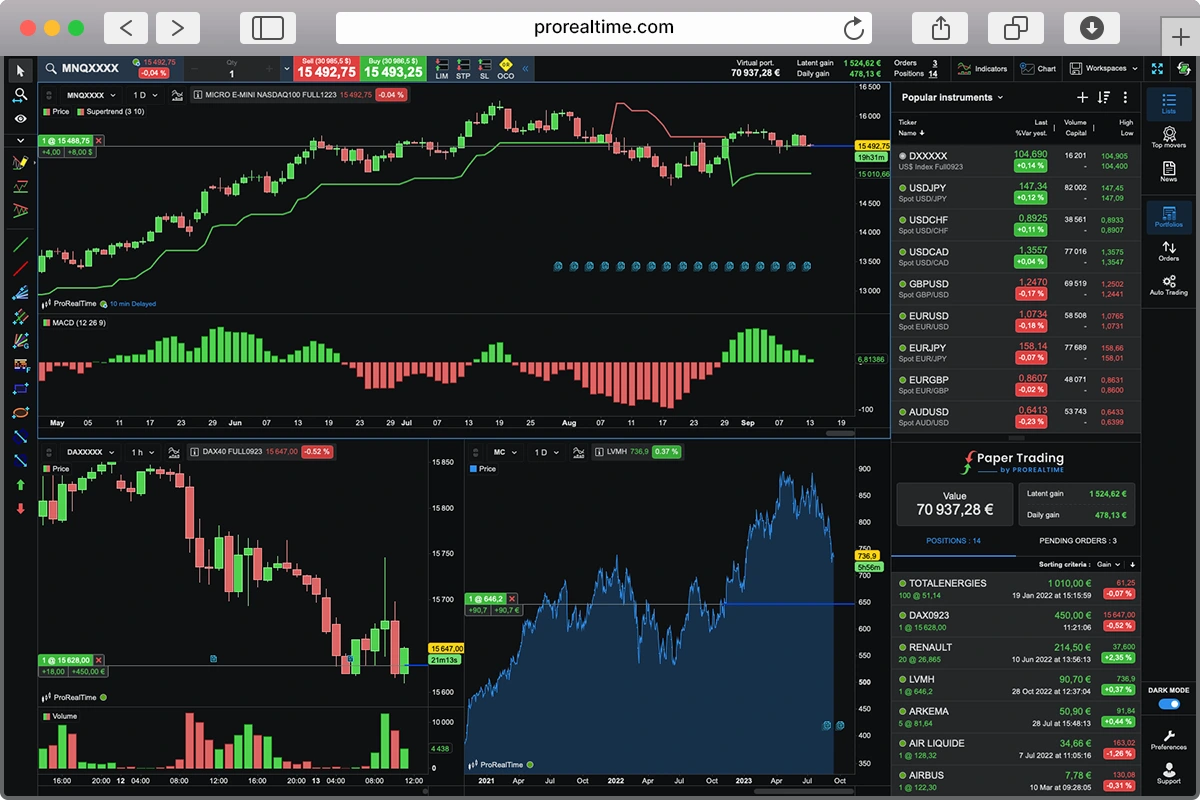
Skip if: You want a modern interface, built-in customer support, or an easy start without coding. Consider ProRealTime or TradingView instead.
Frequently Asked Questions
Is MetaTrader free?
Yes, MetaTrader 4 and MetaTrader 5 are both free to download and use. However, you need to connect through a broker to trade, and brokers charge their own commissions and spreads.
Is MetaTrader 4 legit?
MetaTrader 4 is a legitimate trading platform used by millions of traders worldwide. It was developed by MetaQuotes Software, a company founded in 2000. The platform itself is safe, but your security depends on the broker you connect through. Stick with brokers regulated by the FCA, BaFin, or CySEC.
What is the difference between MT4 and MT5?
MT4 focuses on forex trading with 30+ indicators and 9 timeframes. MT5 supports more markets (stocks, futures, commodities) with 38+ indicators, 21 timeframes, and an economic calendar. Their programming languages (MQL4 and MQL5) are not compatible, so strategies built for one cannot run on the other.
Does MetaTrader have customer support?
MetaQuotes does not provide direct customer support to end users. If you need help, you will need to contact your broker or use the MetaTrader community forums.
Can I use MetaTrader on Mac?
MetaTrader is available on macOS, but the experience is not as smooth as on Windows. Some traders use emulators or the web version as alternatives. Check your broker’s website for Mac-specific instructions.

Cedric is a seasoned investment management strategist with over a decade of experience, currently working at TTUTC. He holds dual prestigious designations as a Chartered Market Technician (CMT) and Chartered Financial Analyst (CFA).

The Best Futures Trading Platforms for 2026

Best Trading Platforms: Our Top 7 Picks for 2026