9 Best Paper Trading Platforms for 2026 (Tested and Ranked)



We tested 9 paper trading platforms to find the ones worth your time.
Four are standalone simulators that work without a broker account. Two are demo accounts from European brokers. Three more cover the US market.
All free. No deposits, no subscriptions.
The list includes charting-first platforms for technical traders and broker demos for those ready to test a specific provider before committing real money.
One thing to keep in mind: paper trading helps you learn market mechanics and test strategies, but simulated results don’t replicate real-world performance.
 Why trust us
Our reviews are built on real-world experience. We work closely with experienced traders who’ve spent dozens of hours testing these platforms to ensure each recommendation is reliable and practical. Visiting the tools we mention through the links on our website may generate a commission that helps support our mission to make trustworthy financial knowledge free and accessible for everyone—at no extra cost to you. Thank you for supporting us!
- Tested by traders, not marketers
- 30+ hours of testing
- Designed to help beginners



What we tested
We reviewed each platform’s paper trading mode. Three things mattered most:
- Realism: Does it feel like actual trading or a video game?
- Tools: Quality of charts, order types, and indicators available in paper mode
- Access: Can you start without funding an account or installing software?
After testing, ProRealTime came out on top for its combination of unlimited free access and professional-grade tools.
That said, the right pick depends on what you trade and where you are based.
Best standalone paper trading platforms
These platforms work independently of any broker. You can practice trading without opening a brokerage account or depositing money.
#1 ProRealTime
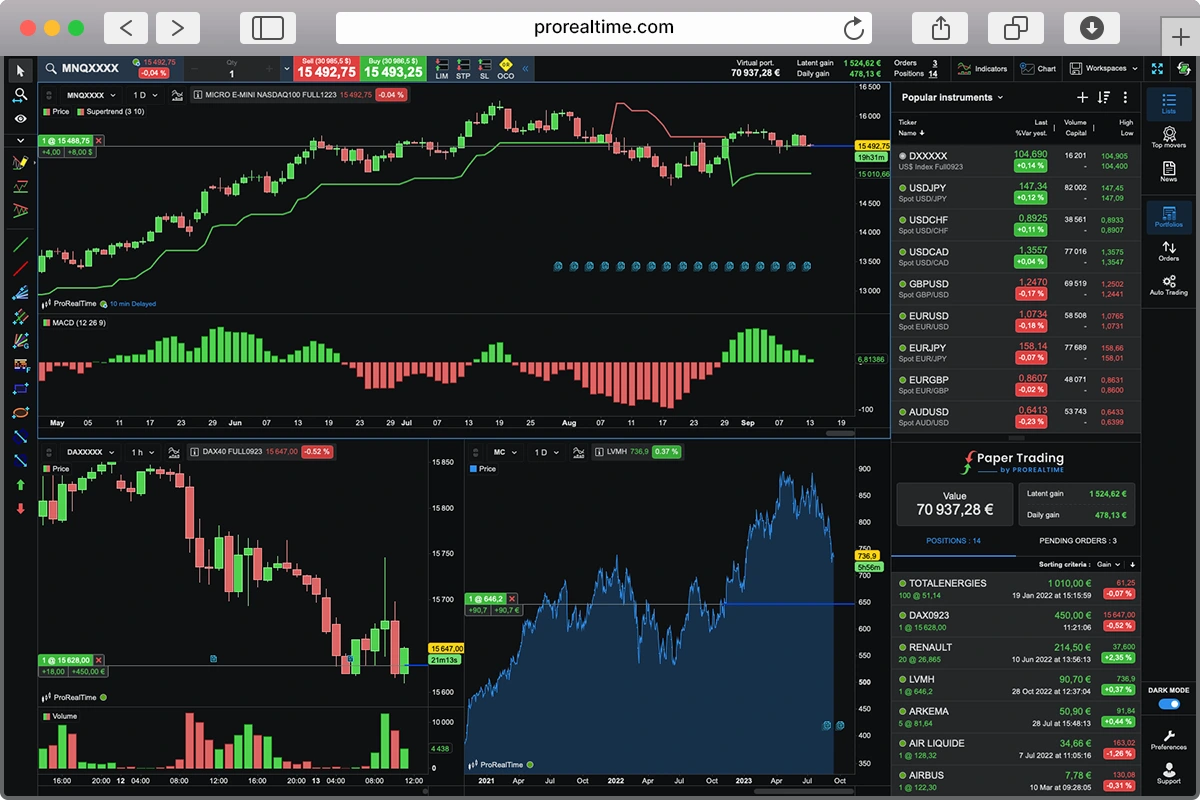
ProRealTime delivers advanced tools and deep market access—completely free. Unlike most platforms, there’s no time limit and no paywall. Practice as much as you want.
The free web version is unlimited. Want more power? The full desktop software adds backtesting, automated trading, and advanced technical tools. It comes with a 14-day trial, plus YouTube tutorials and phone support to help you master it.
About ProRealTime
ProRealTime is a trading platform developed by IT-Finance, a French company with over a million users worldwide. The desktop software is built for serious technical analysis, with features like backtesting, automated trading, and detailed charting tools. Through the ProRealTime Trading offer, you can place orders directly from the charts with major brokers like Interactive Brokers, IG, and Saxo Bank—without needing to switch platforms.
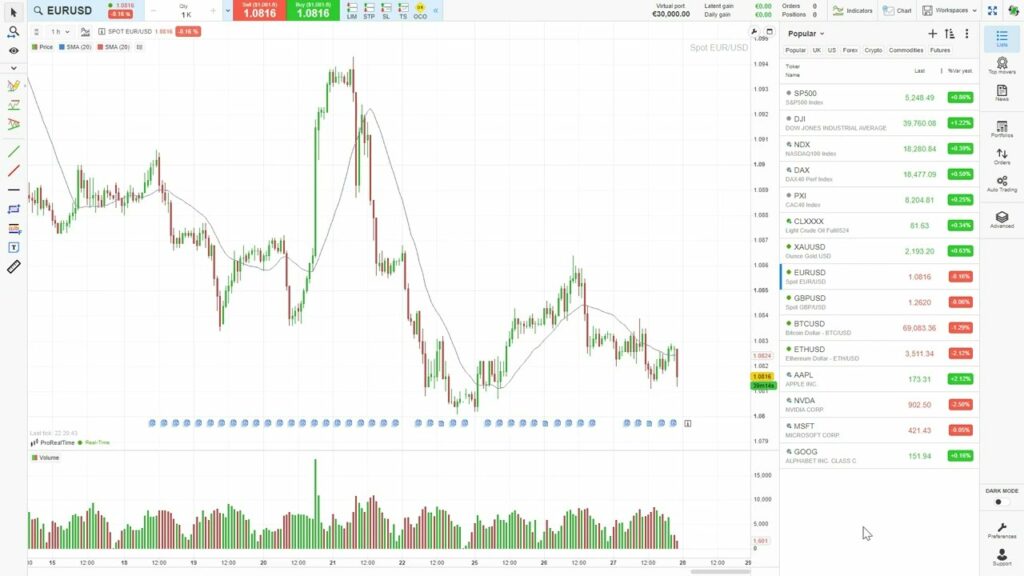
From its intuitive dashboard to the ability to place trades directly from the charts, ProRealTime stands out as one of the best paper trading platforms available.
Given the risks involved in day trading, we especially value the fact that ProRealTime offers unlimited access to its web-based paper trading simulator, completely free, with no pressure to open a real account.
You get one-click trading, a smooth interface, and a wide range of technical indicators to scan and track trade setups.
For overall usability, flexibility, and depth, ProRealTime is our top pick for paper trading.
#2 TradingView

TradingView offers an impressive array of technical tools and fundamental indicators for its traders, but is less beginner-friendly than some of the other platforms we’ve reviewed. While definitely sophisticated, the dashboard is harder to navigate. However, there is definitely top-tier tech to utilize once you’ve overcome a slightly harder learning experience.
About TradingView
Perhaps best known as a charting package provider rather than a broker in its own right, TradingView’s platform combines sophisticated tech with a 100-million strong community of traders, providing its user base with powerful analytical tools and access to a large range of asset classes.
With impressive charting software, a large array of tools to use, and plenty of features to help you analyze trends, TradingView has enough to keep even the most demanding trader satisfied. The software’s capabilities are powerful, reliable, and fast.
Navigating the dashboard and platform is not as easy as it could be, so it’s easy to make the argument that TradingView is not as accessible as some of the other paper simulators we’ve taken a look at. Perhaps this platform is more suitable for an intermediate or advanced trader.
#3 cTrader
cTrader is built for forex traders who care about execution speed. The platform gives you Level II order book visibility and millisecond fills through ECN/STP brokers like Pepperstone and IC Markets.
The demo account mirrors live conditions. You set your own starting balance and trade the same instruments with the same spreads. Free cloud hosting for automated bots (cBots) and built-in copy trading with verified providers.
About cTrader
cTrader is developed by Spotware, a fintech company based in Limassol, Cyprus. The platform focuses on forex and CFD trading with ECN/STP execution. It runs natively on Windows, Mac, and mobile, and connects to brokers like Pepperstone, IC Markets, and FP Markets. cTrader is well-rated by its user community.
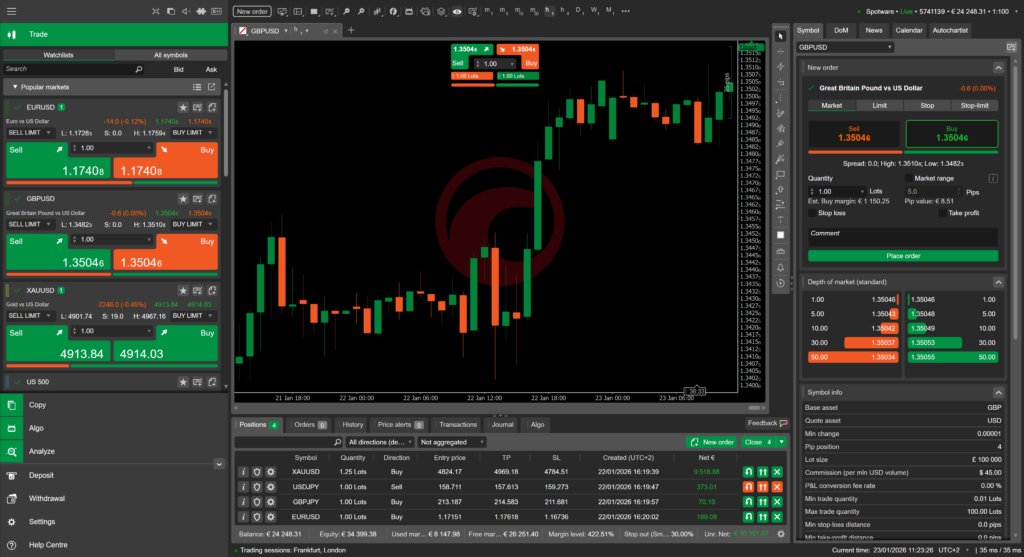
cTrader runs natively on Mac, Windows, and mobile. You can set up multi-chart layouts and place orders directly from the charts. If you have used MetaTrader before, cTrader is often considered a more modern alternative.
The copy trading feature works in demo mode too, though limited to free strategies (paid strategy providers require a live account). Still a useful way to evaluate signal providers before committing real money.
One limitation: forex and CFDs only. No stocks, no futures, no options. If you trade beyond forex, look at ProRealTime or NinjaTrader instead.
#4 NinjaTrader
NinjaTrader is the go-to platform for futures simulation. The Sim101 account gives you live streaming data, a customizable virtual balance, and access to every charting and analysis tool on the platform.
You can backtest strategies tick by tick, replay historical market sessions, and build automated systems in C#. The SuperDOM (ladder) gives you fast price updates, close to what you get in live trading.
About NinjaTrader
NinjaTrader is a US-based trading platform focused exclusively on futures. The company launched its own brokerage and expanded to the EU via a CySEC-regulated entity (Payward Europe Digital Solutions). The platform is Windows-only and has a steep learning curve, but the simulator can be downloaded and used from anywhere.
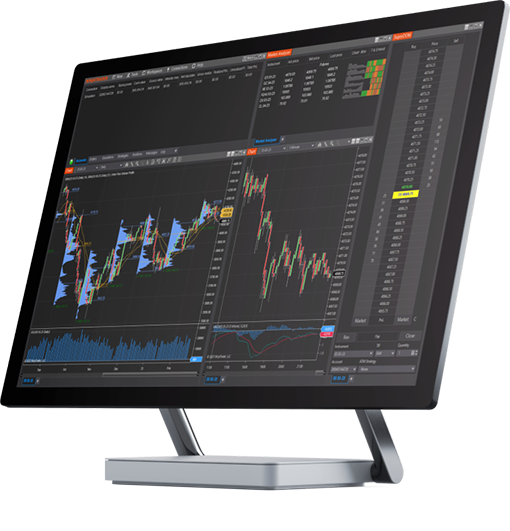
NinjaTrader includes a Market Replay feature: you can replay historical trading sessions tick by tick and practice as if they were happening live. Useful for testing how you react to specific market conditions.
The platform is Windows-only and the interface looks dated compared to newer platforms. Navigation takes getting used to, and some features are buried in submenus.
The free version gives you full access to the simulator, charting, and backtesting tools. If you later decide to trade live, commissions start at $1.29 per side on futures (lower on paid plans).
Best broker demos for European traders
If you want to test a specific broker before committing real money, these two have the strongest demo accounts available to European residents.
#5 Interactive Brokers

IBKR’s paper trading account starts with $1 million in virtual funds and covers 170+ markets across 40+ countries. Stocks, options, futures, forex, bonds, crypto. No other broker demo comes close in breadth.
You need a free IBKR account (no deposit required). The paper account activates after account creation. Data is delayed by default (10-15 minutes), but matches your live account subscriptions.
About Interactive Brokers
Interactive Brokers is a US-headquartered brokerage with offices worldwide, including Ireland for EU clients. IBKR manages client assets across 170+ markets. The TWS platform is powerful but has a steep learning curve. The newer IBKR GlobalTrader app is more beginner-friendly.
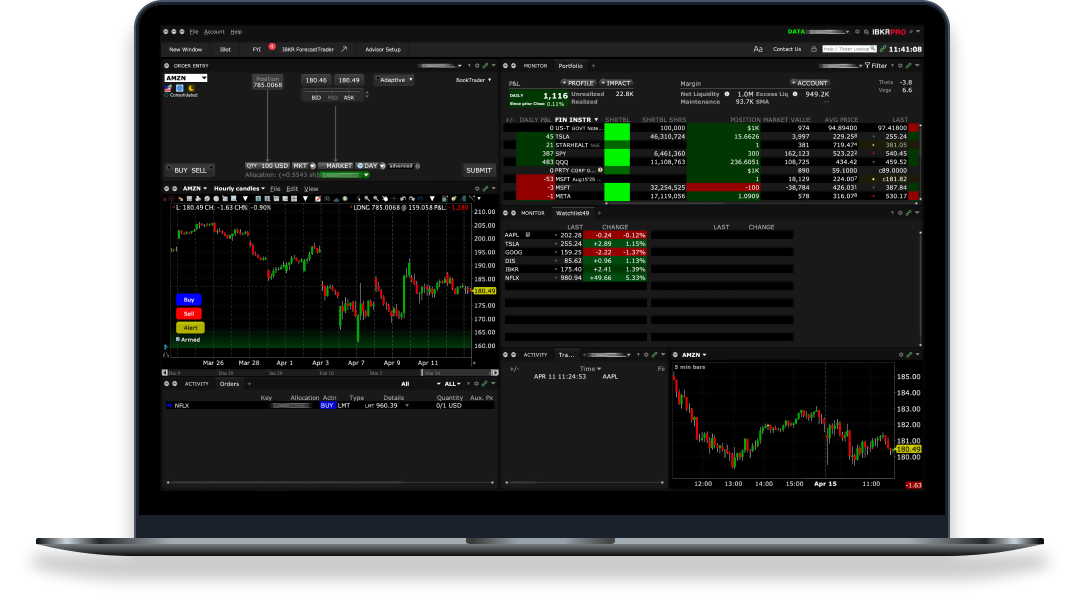
IBKR’s paper account covers stocks, options, futures, forex, bonds, and crypto across 170+ markets. You practice with the same tools and order types available on the live account.
The TWS desktop platform is where the power sits, but it takes time to learn. If you want something simpler to start, IBKR’s GlobalTrader mobile app is more beginner-friendly and also supports paper trading.
One thing to know: IBKR’s paper account uses delayed data by default. If you need real-time quotes for your simulation, you will need to subscribe to market data on your live account (costs vary by exchange).
#6 XTB

XTB’s demo runs on xStation 5, one of the more intuitive trading platforms in Europe. You get $100,000 in virtual funds and access to all 2,100+ instruments on the live platform.
The demo closes after 30 days of inactivity, but you can reactivate it by contacting support. All you need to sign up is an email address. No documents, no funding.
About XTB
XTB is a Polish broker listed on the Warsaw Stock Exchange since 2016, with offices across Europe. The platform covers forex CFDs, index CFDs, stock CFDs, commodities, and ETF CFDs. xStation 5 is available as web, desktop, and mobile app.
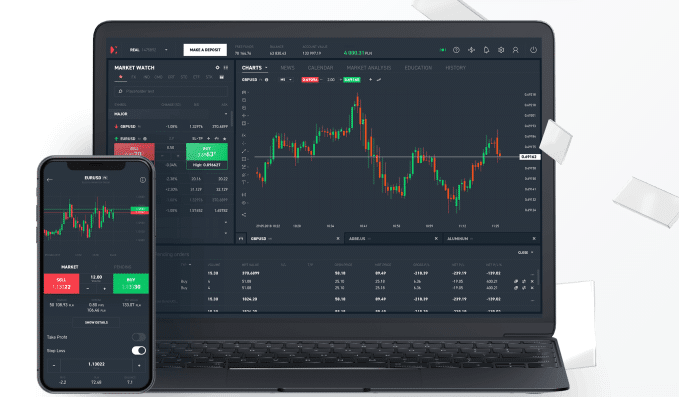
xStation 5 has a built-in calculator that shows potential profit/loss before you place a trade. The platform is available as web, desktop, and mobile app.
XTB includes a trading academy with video courses sorted by skill level. You can learn and practice in demo mode from the same interface.
Keep in mind: XTB is a CFD broker. You are not trading real stocks or ETFs in the demo, you are trading CFDs on them. The mechanics are similar, but the product is different. If you want to practice with real assets, look at Interactive Brokers instead.
Best broker demos for US traders
US-based traders have access to these broker demo accounts. Note that most of these platforms are not available to European residents.
#7 Thinkorswim

thinkorswim isn’t beginner-friendly out of the box. The platform packs professional tools into every corner, which means there’s a learning curve. Expect to spend a few sessions just figuring out navigation. But once it clicks? You get institutional-quality analysis for free.
About thinkorswim
Thinkorswim is a US-based trading platform that has changed ownership a few times over the years. Originally developed by Thinkorswim Group Inc., it was later acquired by TD Ameritrade, and most recently by Charles Schwab in 2020. Known for its impressive longevity, the platform boasts around 11 million users and manages over $1 trillion in assets, according to a 2021 report. Thinkorswim offers traders access to a wide range of financial instruments including stocks, options, and futures.
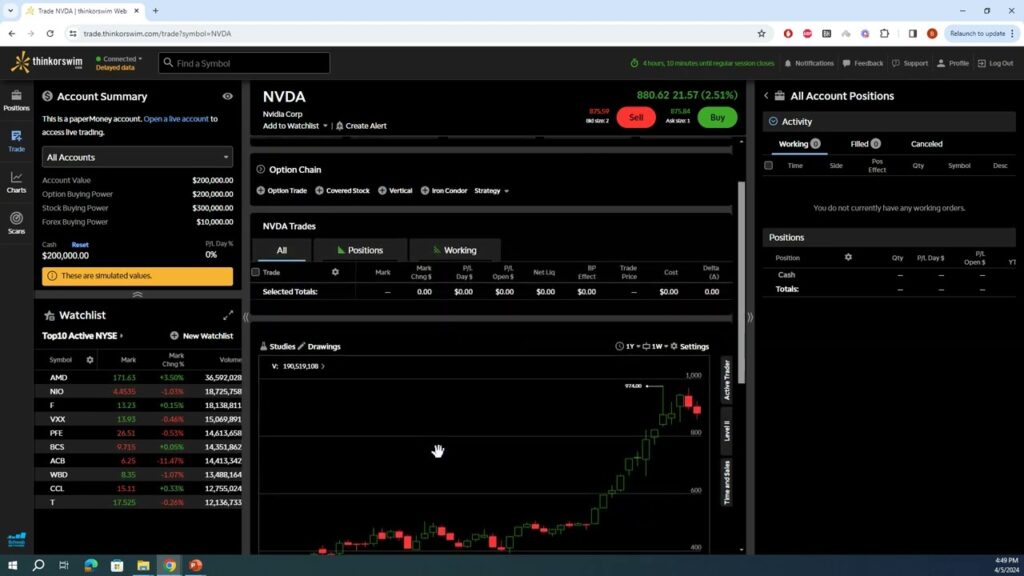
Thinkorswim’s platform has one of the best stock screener tools out of the paper simulators we’ve reviewed. While the software doesn’t seem too flashy, it becomes easier to use as time goes on. It also has a good alert system to analyze and monitor your trades.
Some mechanics felt frustrating when switching between the tabs of ‘Trade’ and ‘Chart’. Your existing setup on any chart doesn’t carry over if you navigate between the two, and the dashboard is not as intuitive as some of the other platforms we’ve reviewed here.
#8 Webull

Enjoy a user-friendly platform with a low barrier to entry in terms of experience, and trading itself is quite slick and intuitive. There’s a wide range of tools to pick from; however, some basic features were are hard to find which prevent you from fully testing out your strategies.
About Webull
The US broker has about 20 million global users, and offers access to stocks, ETFs, and options – a slightly narrower set of asset classes compared to some of the other platforms we look at, who extend to forex and indices.
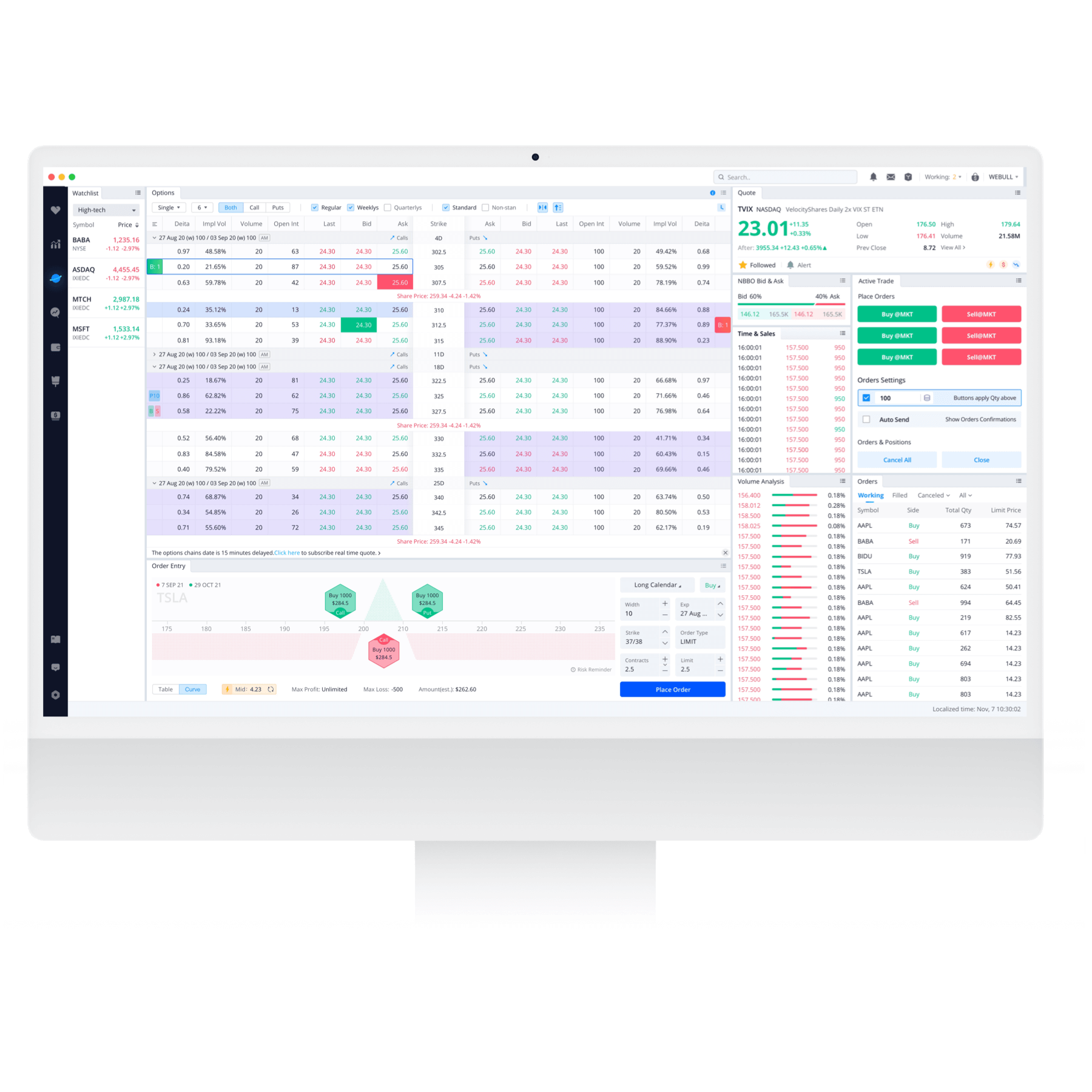
Webull’s dashboard is easy to use and customize as you see fit. It feels intuitive to control and change the layout. You can drag and drop any elements or windows to get the exact setup that you’d like, and even though the initial setup to get a demo is slightly confusing, it’s one of the more user-friendly dashboards.
It’s a smooth experience to use the platform – as is placing a trade, which is possible from the charts. There are plenty of tools to choose from, and there’s a healthy range of indicators and technical analysis tools for both beginner and intermediate investors.
#9 TradeStation

TradeStation’s simulator gives you access to 30+ years of historical data for backtesting. You can build and test automated strategies using EasyLanguage, a programming language simpler than Python or C#.
The catch: you need a TradeStation brokerage account to access the simulator. Once you are in, you can add unlimited virtual funds and reset your balance anytime.
About TradeStation
TradeStation is a US-based brokerage known for its advanced charting and automated trading tools. The platform includes Radar Screen (tracks 1,000 symbols), Matrix for order execution, and EasyLanguage for strategy development. Zero-commission trading on stocks and ETFs.
TradeStation includes a backtesting engine with historical data going back decades. You can build and test automated strategies using EasyLanguage, a proprietary programming language.
The Radar Screen tool tracks up to 1,000 symbols in real time, which is useful for scanning setups while your simulator runs. The Matrix tool gives you a price ladder for quick order entry.
The main downside: you cannot access the simulator without a funded brokerage account. This makes TradeStation less accessible than ProRealTime or TradingView for pure practice. But if you are already a TradeStation client, the simulator is included with your account.
What to look for in a paper trading platform
Which platform should you choose?
It depends on what you trade and where you are based.
For chart-focused traders: ProRealTime or TradingView. Both have professional-grade charting without locking you into a specific broker.
For forex traders: cTrader gives you Level II pricing and fast execution in a clean interface.
For futures traders: NinjaTrader is built specifically for futures simulation with real-time data.
For European investors: Interactive Brokers gives you access to 170+ markets. XTB has a clean demo with 2,100+ instruments.
For US traders: thinkorswim packs the most tools. Webull is the easiest to start with. TradeStation suits automated strategy testing.
Bottom line: Match the platform to your trading style, preferred assets, and location.
New to paper trading? Our step-by-step guide walks you through your first simulated trades.
From paper trading to live trading
A common argument against paper trading: “you don’t feel the emotions, so you don’t learn anything.” Many trading influencers push this line to get beginners into live markets faster.
They have a point about emotions. Watching a position go against you with real money hits differently than clicking buttons on a simulator. No paper account will prepare you for that. But trading is a discipline problem before it is an emotional one. If you don’t have a method that works on paper, adding real money will not fix it. It will just make the learning more expensive. And the numbers are clear: the vast majority of retail traders lose money, and those who do profit barely make it worth the time investment, according to most academic studies.
Paper trading lets you handle the first layer: learning your platform, testing a strategy, and proving you can be profitable over a sustained period. The emotional layer comes next, when you move to live with a small position size. But you face it with a method that already works instead of scrambling to build one while losing money.
Before switching to live, make sure you can answer yes to these three questions: Do I have a documented strategy? Have I been consistently profitable on paper for at least several weeks? Do I know how to use my platform without hesitation?
FAQ
Is there a free trading simulator?
Yes. All 9 platforms in this guide let you practice without depositing real money. Some require creating an account first (Interactive Brokers, Webull), but the paper trading itself is free.
Do paper trading simulators use real-time data?
It varies. Webull gives you real-time quotes for free. ProRealTime, TradingView, and Interactive Brokers use delayed data (15 minutes) on their free tiers, with real-time available as a paid upgrade. cTrader data depends on your broker. thinkorswim defaults to delayed data on the guest pass.
Do paper trading accounts expire?
Some do. ProRealTime and TradingView are unlimited. thinkorswim’s guest pass lasts 30 days. XTB closes after 30 days of inactivity but can be reactivated. cTrader expires after 90 days of inactivity. Check each platform’s policy before relying on long-term access.
What is the best paper trading platform for futures?
NinjaTrader is built specifically for futures simulation. For a charting-first approach with futures access, ProRealTime combines deep market access with pro-level charting. See our futures trading platforms guide for more.
Can European traders use thinkorswim or Webull?
Not reliably. Both are US-focused platforms. Some EU users have managed to create thinkorswim paper accounts, but access varies by country and is not officially supported. Webull is not available in most EU countries. European traders should look at ProRealTime, TradingView, or Interactive Brokers instead.
Do I keep my paper account if I open a real account?
In most cases, yes. Interactive Brokers and TradingView keep your paper trading account active alongside your real account. ProRealTime’s free web version stays available regardless. thinkorswim paper trading is included with all Schwab brokerage accounts.
Does Fidelity have paper trading?
No. Fidelity does not have a paper trading simulator. They have educational tools in their Learning Center, but no simulated trading account where you can place virtual trades. If you want a broker with a full demo, Interactive Brokers or thinkorswim (Charles Schwab) are the closest alternatives.
Does Robinhood have paper trading?
No. Robinhood does not offer paper trading or a demo account. For a mobile-first experience with paper trading, Webull is the most similar option.

Maxime holds two master’s degrees from the SKEMA Business School and FFBC. As founder and editor-in-chief of NewTrading.fr, he writes daily about financial trading.