QuantConnect Review 2026: Pricing, Features, and Who It’s For

Most algo trading platforms lock serious infrastructure behind five-figure budgets. QuantConnect flipped that model by open-sourcing its trading engine and wrapping cloud infrastructure around it. Over 100 funds and 483,000 users now run strategies on the platform.
We researched the platform extensively, tested backtesting on the free tier, and analyzed community feedback across Trustpilot, Reddit, and QuantConnect’s own forums. This QuantConnect review breaks down what works, what frustrates, and who should actually use it.
Here is what we cover:
- Pricing and what you get at each tier
- Data library and backtesting speed
- The IDE, Jupyter notebooks, and Python vs C# tradeoffs
- Live trading with 20+ broker integrations
- Where QuantConnect falls short for traders based in Europe
- How it stacks up against ProRealTime, TradingView, Backtrader, and MetaTrader
Our Take on QuantConnect

QuantConnect is the most established open-source platform for algorithmic trading. The LEAN engine (Apache 2.0, ~17,800 GitHub stars) gives you full transparency into how backtests run. You can audit the code, run it locally, or deploy on their cloud.
Over 100 funds use the platform, and 483,000 users run 500,000+ backtests per month. The data library spans 400TB+ across US equities (since 1998), options, futures, forex, crypto, and CFDs. A 10-year equity backtest finishes in roughly 33 seconds on cloud hardware.
You write strategies in Python or C#, backtest on cloud servers, and deploy live through 20+ broker integrations. The catch: you need to code, and QuantConnect does not connect to EU exchanges like Euronext or Xetra. European equity strategies are off the table. For US markets, forex, crypto, and futures, it is one of the most complete platforms available.
Who Is QuantConnect For?
If you can write Python or C#, QuantConnect gives you institutional-grade tools at a fraction of the cost. The typical user is a quant developer, a data scientist exploring trading strategies, or a small fund that cannot justify building custom infrastructure.
You will get the most out of it if you:
- Write strategies in Python or C# and want cloud backtesting with deep data
- Trade US equities, options, futures, forex, or crypto
- Want an open-source engine you can audit and deploy locally
- Need team collaboration features for a small trading firm
Skip QuantConnect if you:
- Do not code and do not plan to learn
- Need to trade on European exchanges (Euronext, Xetra, LSE)
- Want charting tools or visual analysis (QuantConnect has no charts)
- Prefer a no-code or low-code strategy builder
Best for quant developers and data scientists. Not a fit for discretionary traders or anyone who needs European market access.
QuantConnect: A Quick Overview
Jared Broad has been trading since he was 16. He started building QuantConnect in 2011 after winning a Start Up Chile grant. Before that, he ran a small fund through Stocktrack.org that traded up to $250,000 per day. His co-founder Michael Handschuh joined to build what they called “the Linux of finance.”
The company incorporated in Delaware in 2013 and open-sourced the LEAN engine in January 2015 under the Apache 2.0 license. That decision shaped everything: LEAN now has 200+ contributors and runs on both the QuantConnect cloud and on local machines via Docker.
The Quantopian shutdown in 2020 was a turning point. When Robinhood acquired Quantopian and closed the platform, QuantConnect built a migration tool and absorbed a wave of displaced quants.
The numbers as of early 2026: 483,000 registered users across 170+ countries, 50,000 monthly active users, and over 375,000 live strategies deployed since launch. The platform processes $45 billion in notional volume monthly.
QuantConnect is headquartered in Florida with roughly 30 employees. The company ran a Wefunder crowdfunding campaign in 2022 at a $44.4M valuation.
Is QuantConnect Legit?
The open-source model is the strongest trust signal here. LEAN’s code is public on GitHub. Anyone can read how backtests are executed, how orders are filled, and how data is handled. That kind of transparency does not exist at most competitors.
On Trustpilot, QuantConnect scores 4.5 out of 5 from 63 reviews. The distribution is polarized: 71% five-star, 19% one-star. Happy users praise the data library and the ability to go from backtest to live with the same code. Unhappy users flag IDE bugs, documentation gaps, and frustrations with cancellation.
QuantConnect is not a broker. It does not hold your money or execute your trades. It connects to brokers (Interactive Brokers, Alpaca, TradeStation, and others) that handle custody and execution. Your funds stay with your broker at all times.
The company has been running since 2012 and has institutional clients. The risk here is not legitimacy. It is platform stability, which we address in the development tools section.
Plans and Pricing
QuantConnect runs on a tiered subscription model with a usable free tier.
| Plan | Monthly | Annual | Compute nodes | Team size |
|---|---|---|---|---|
| Free | $0 | $0 | 0 | 1 |
| Researcher | $60 | $600 | Up to 2 | 1 |
| Team | $120/user | $1,200/user | Up to 10 | 2+ |
| Trading Firm | $336/user | $3,360/user | Unlimited | 2+ |
| Institution | $1,080/user | $10,800/user | Unlimited | 5+ |
Prices as listed on quantconnect.com/pricing. Always verify current pricing on their site before subscribing.
The free plan is genuinely useful. You get unlimited backtesting on all asset classes, a research notebook, and community support. No credit card required. The ceiling is that you cannot deploy strategies live.
The Researcher plan at $60/month is where most individual traders start. You get up to two compute nodes, which is enough for a single strategy on a longer timeframe. Scaling up means adding more compute nodes.
Additional nodes run from $24/month (L1-1, 1 CPU, 1GB RAM) to $1,000/month (GPU nodes with 24 cores and 128GB RAM). Support plans are separate: $72/month for Bronze (4 tickets), up to $288/month for Gold (16 tickets, phone support).
The pricing gets expensive fast if you need multiple live strategies or heavy backtesting. A serious individual trader running three live strategies with decent compute could easily spend $200-300/month.
Best for individual quants and small teams. If you just want to run one simple strategy, a broker with built-in automation (like Interactive Brokers or cTrader) would cost less.
Comparing QuantConnect with Competitors
Every platform on this list solves a different problem. QuantConnect is for people who write code and want cloud infrastructure. The others target different skill levels and trading styles.
| QuantConnect | ProRealTime | TradingView | Backtrader | MetaTrader 5 | |
|---|---|---|---|---|---|
| Type | Cloud + open engine | Charting + server-side auto | Web charting + Pine Script | Python library (local) | Desktop + EAs |
| Languages | Python, C# | No-code wizard + ProBuilder | Pine Script | Python | MQL5 |
| Data included | 400TB+ built-in | Exchange-grade real-time | Charting data | None (bring your own) | Broker data |
| Backtesting | Cloud, event-driven | Server-side, ProBacktest | Visual strategy tester | Local, event-driven | Local strategy tester |
| Live trading | 20+ brokers | Built-in (partnered brokers) | Paper only | IB only | Via brokers |
| EU exchanges | No | Yes | Yes (charting) | N/A | Yes (via brokers) |
| No-code option | No | Yes | Yes | No | No |
| Execution | Cloud | Server-side | Client-side | Local | Client-side |
| Price | Free / from $60/mo | Free / from €24/mo | Free / from €14.95/mo | Free (open source) | Free |
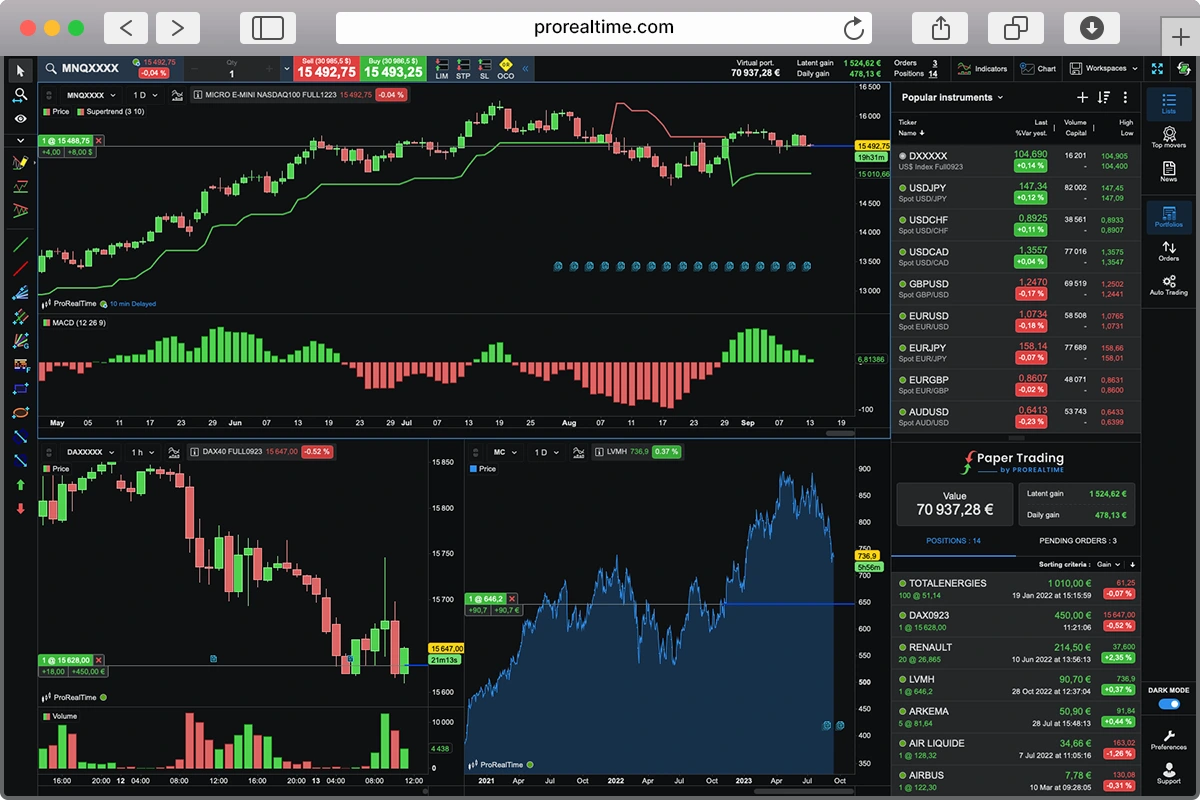
ProRealTime is the better choice if you want server-side automation with charting, backtesting, and live trading in one place, especially on European markets. It has both a no-code wizard for building strategies visually and ProBuilder, its own scripting language for more advanced automation.
Backtrader is the closest open-source alternative. It runs locally, it is Pythonic, and it is completely free. But it has no cloud infrastructure, no built-in data, and the project is less actively maintained. QuantConnect is where you go when you outgrow Backtrader.
TradingView has the largest community and the best charting, but Pine Script cannot match Python or C# for complex quantitative strategies. It also cannot execute live trades automatically.
MetaTrader 5 is free and works with the widest range of brokers, but MQL5 is a niche language and the backtesting environment is less realistic than QuantConnect’s event-driven engine.
Data and Backtesting
What separates QuantConnect from most algo platforms is the data library. Over 400TB of financial data ships with the platform. You do not need to buy feeds, clean datasets, or manage storage.
| Asset class | Resolution | History |
|---|---|---|
| US Equities (8,000+) | Tick to daily | Since 1998 |
| Equity Options (4,000+ symbols) | Minute | Since 2012 |
| Index Options | Minute | Since 2012 |
| Futures (100+ contracts) | Tick to minute | Since 2009 |
| Forex (71 pairs) | Tick to daily | Since 2004 |
| Crypto (multiple exchanges) | Varies | Since 2015 |
| CFDs | Varies | Varies |
Source: QuantConnect data documentation
All data is point-in-time, which means it reflects what was available at the moment the strategy ran, not what we know in hindsight. This prevents look-ahead bias, the silent killer of backtests that look profitable on paper but fail live.
The backtesting engine is event-driven. Each tick or bar triggers your algorithm exactly as it would in live trading. A 10-year equity backtest runs in roughly 33 seconds on cloud hardware. The engine models slippage, brokerage fees, and spread adjustments.
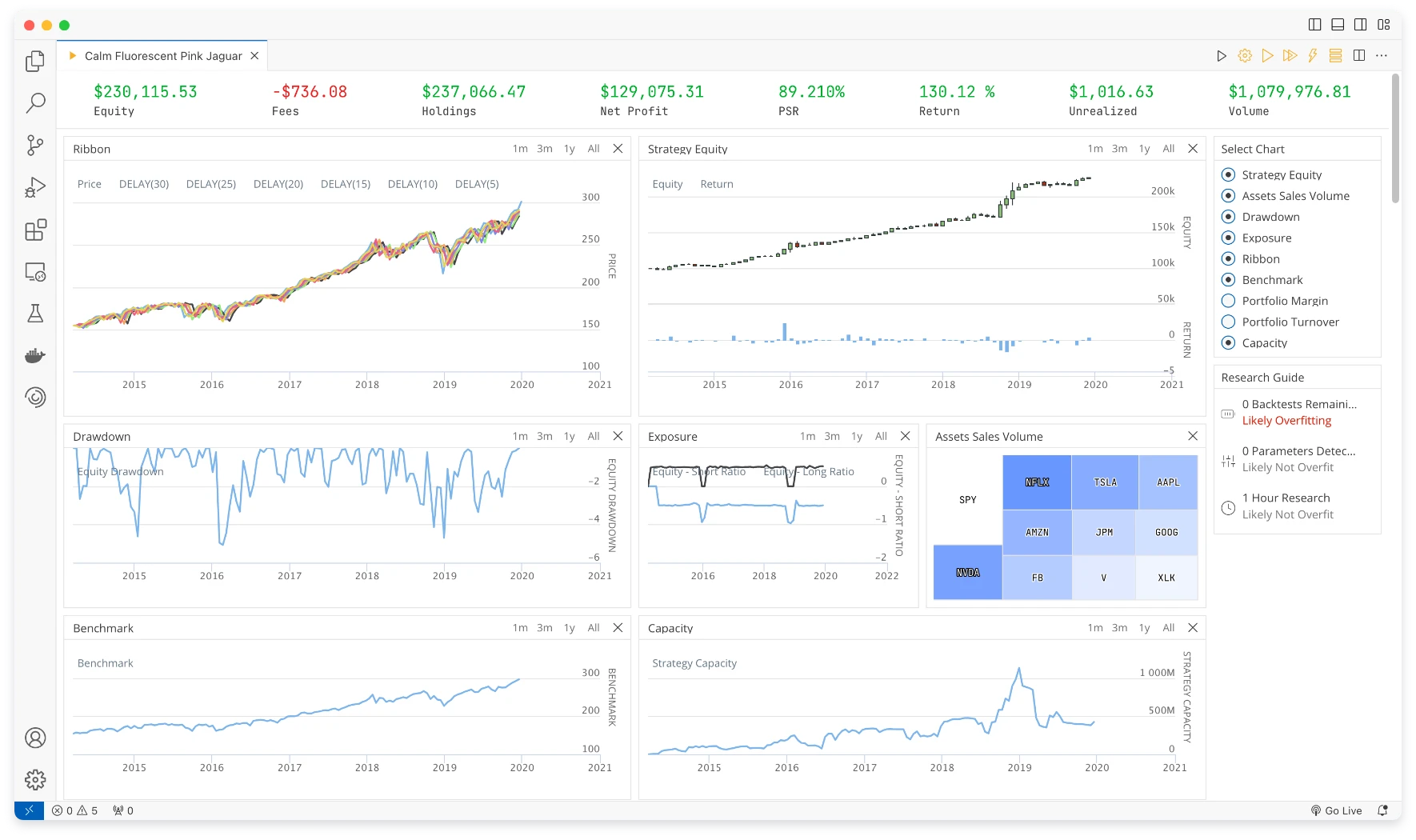
User feedback on forums and Reddit points to a recurring frustration: backtest startup takes 20-30 seconds before execution begins, regardless of strategy complexity. For quick iteration, that delay adds up. Low-timeframe backtests on large universes can hit memory limits and stall.
Beyond market data, QuantConnect connects to 40+ alternative data vendors for fundamentals and sentiment. These cost extra and are billed separately.
The depth of the options and futures data is hard to match anywhere else at this price point.
Algorithm Development and Research
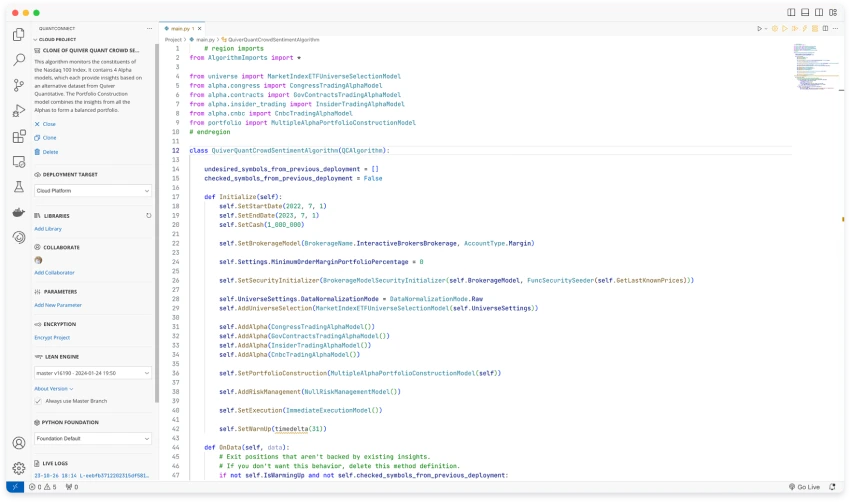
QuantConnect’s IDE is called Algorithm Lab. It is a browser-based code editor with autocomplete for Python 3.11 and C# 12. You write, backtest, and deploy strategies without leaving the browser.
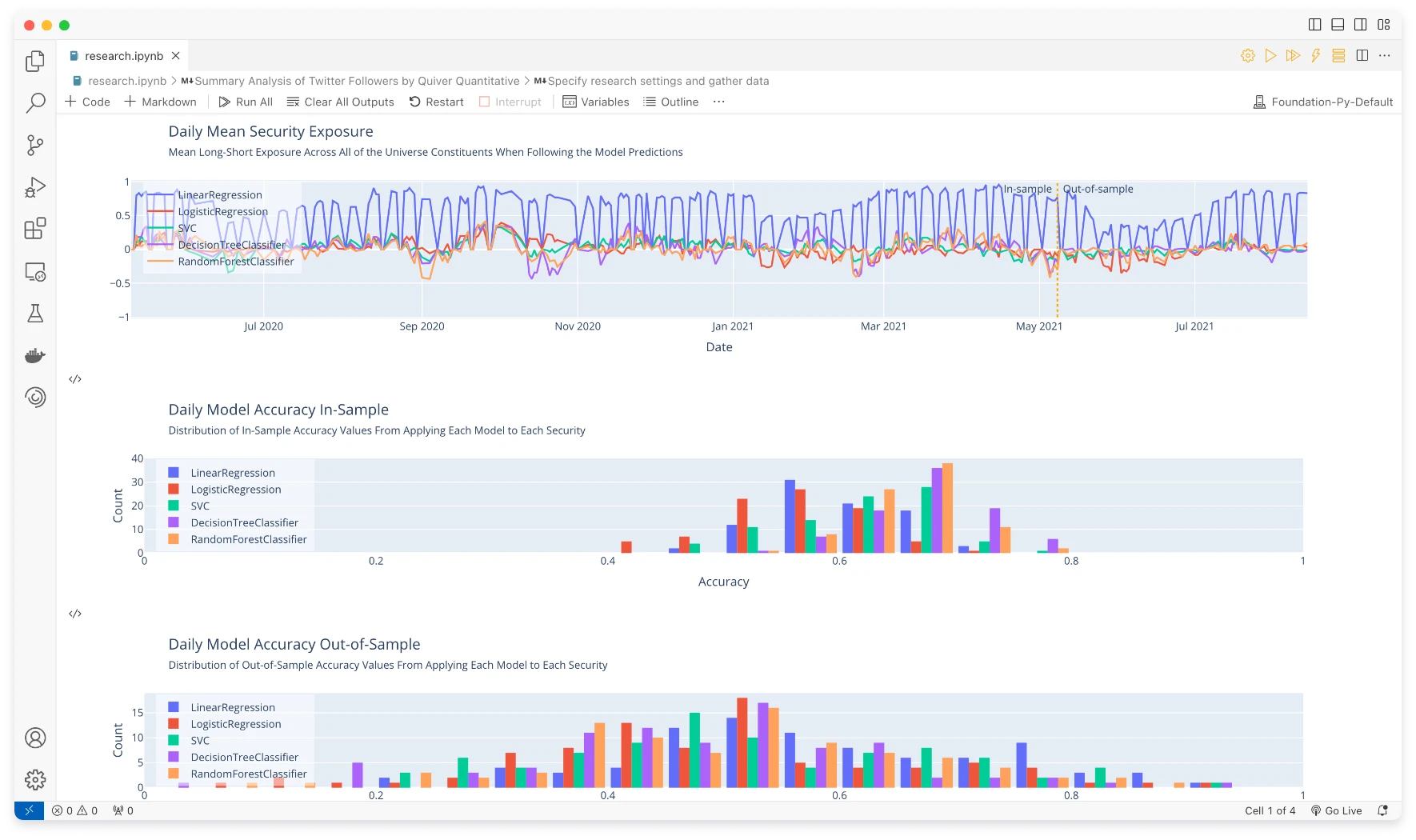
The research environment runs Jupyter notebooks with a custom QuantBook class. You can pull historical data, run statistical analysis, visualize results, and prototype ideas before turning them into full algorithms. The notebook-to-algorithm pipeline is tight, which is where the platform shines for quant researchers.
Python vs C# is a real choice here. C# runs 40 to 50 times faster than Python on the same strategy, according to user benchmarks shared on the QuantConnect forums. If you are backtesting on tick data across thousands of symbols, that speed difference matters. Most tutorials and community examples use Python, so the onboarding is smoother there. C# is the original language of the LEAN engine and the faster option for production.
For local development, the LEAN CLI (pip install lean) lets you code in your own editor, run backtests on your machine, and push to the cloud when ready. Docker containers keep the environment reproducible.
The AI assistant Mia can write strategy code from plain English instructions, run backtests, and debug. It is useful for quick prototyping. It is not a replacement for understanding the framework.
The stability issues are worth flagging. Trustpilot reviews and forum posts mention the IDE failing to save files, projects mysteriously breaking, and algorithms that stop working after platform updates. A December 2025 update broke algorithm warm-up processes for some users, causing live strategies to skip warm-up entirely. If you rely on QuantConnect for live trading, you need a monitoring layer.
The IDE is functional but rough. For anything beyond simple strategies, most serious users develop locally with the LEAN CLI and only use the cloud for deployment.
Live Trading and Broker Integrations
Going live on QuantConnect means connecting your broker account and deploying an algorithm to a cloud node. The platform handles execution, monitoring, and logging.
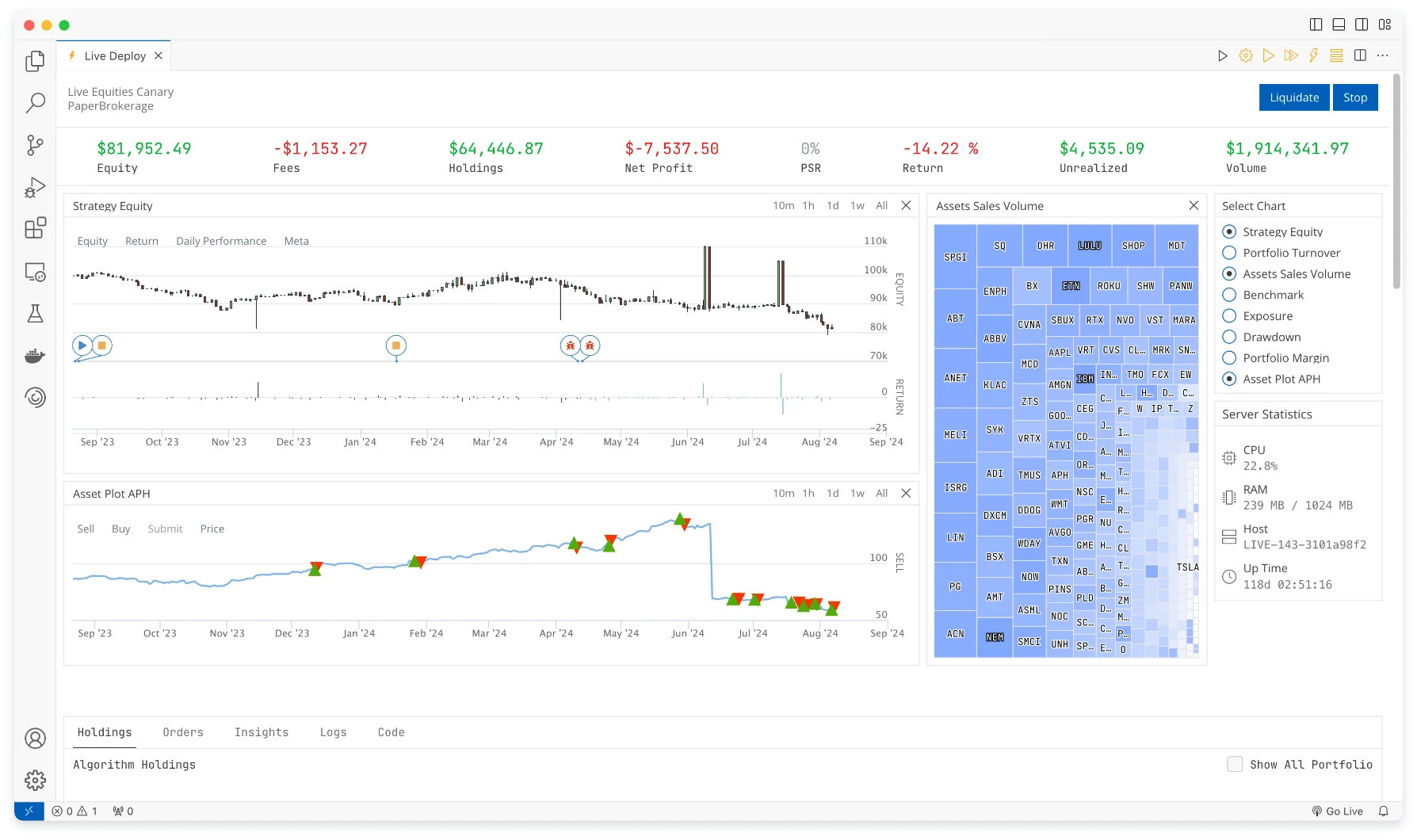
The broker list includes Interactive Brokers, TradeStation, Tastytrade, Alpaca, Charles Schwab, Binance, Bybit, Kraken, Coinbase, Tradier, and more. Interactive Brokers has the widest asset coverage (equities, options, futures, forex, CFDs). Alpaca is a popular choice for commission-free US equity trading. Crypto traders can connect directly to Binance, Bybit, or Kraken.
Platform-side latency for US equities runs between 5 and 40 milliseconds. That is fast enough for strategies operating on minute bars or longer. It is not fast enough for high-frequency trading at the tick level.
Paper trading starts with a $100,000 virtual account. It uses real-time market data and simulates fills using bid-ask spreads when available.
The critical limitation for traders in Europe: QuantConnect does not connect to any European exchange. No Euronext, no Xetra, no LSE. You cannot trade EU-listed ETFs or European equities. If you trade US markets, forex, or crypto from Europe, the platform works. Interactive Brokers handles EU-based accounts with access to US markets. But if your strategy targets European securities, QuantConnect is not the platform.
Community and Learning Resources
QuantConnect has invested more in education than most algo trading platforms. The Boot Camp is an interactive tutorial that takes you from basics to the Algorithm Framework through videos, readings, and coding exercises. You need to complete 30% of Boot Camp before you can post in the community forums.
The community includes 483,000+ members who have shared over 1,200 strategies publicly. The documentation hub includes 100+ demonstration algorithms. For academic use, Duke University runs its MA585 Algorithmic Trading course on QuantConnect.
The documentation is a mixed bag. The API reference is thorough, but the tutorials and guides can be sparse. Some users report that key concepts are hard to learn without buying the official book ($36). This is an area where Backtrader’s community-written docs and TradingView‘s Pine Script reference do a better job.
A strong community, but expect to invest time learning the framework. The API is powerful and not always intuitive.
Final Words
QuantConnect is one of the strongest open-source platforms for algorithmic trading. The combination of a transparent engine, deep data, and cloud infrastructure at $60/month has no direct equivalent. If you write Python or C# and trade US equities, options, futures, forex, or crypto, it belongs on your shortlist.
It is not for everyone. The learning curve is real, the IDE has stability issues, and the absence of European exchange support makes it a non-starter for EU equity strategies. If you want charting, no-code automation, and European market access, ProRealTime is a stronger fit.
If you are curious, start with the free tier. Run a backtest. The free plan has no time limit and no credit card requirement.
FAQ
Is QuantConnect free?
Yes. The free plan includes unlimited backtesting on all asset classes, a research notebook, and community support. You cannot deploy live strategies on the free plan. Live trading starts at $60/month with the Researcher plan, which includes up to two compute nodes.
Does QuantConnect work for traders in Europe?
Partially. The platform is accessible globally, and European traders can use it for US equities, forex, crypto, and futures through brokers like Interactive Brokers. The gap is European exchanges: QuantConnect does not connect to Euronext, Xetra, or any EU venue. EU-listed ETFs are not available. If your strategies target European securities, you need a different platform.
Should I use Python or C# on QuantConnect?
Start with Python if you are new to the platform. Most tutorials, community examples, and documentation use Python. Switch to C# when performance matters: user benchmarks show C# runs 40 to 50 times faster than Python on the same strategy. For tick-level backtests or large universes, that gap is significant.
Is QuantConnect better than Backtrader?
For production deployment, yes. QuantConnect includes cloud infrastructure, built-in data, 20+ broker integrations, and team features. Backtrader is a local Python library with no data, no cloud, and less active maintenance. Backtrader is better for quick local prototyping when you bring your own data. QuantConnect is where you go when you need to run strategies live at scale.
Can I use QuantConnect for live trading?
Yes, with a paid plan ($60/month minimum). You connect your brokerage account (Interactive Brokers, Alpaca, TradeStation, and others) and deploy algorithms to a cloud node. Paper trading is available on all paid plans with a $100,000 virtual account. The same code runs in backtesting, paper trading, and live trading without modification.

Maxime holds two master’s degrees from the SKEMA Business School and FFBC. As founder and editor-in-chief of NewTrading.fr, he writes daily about financial trading.
Start Trading on a Demo Account with
ProRealTime Paper Trading Simulator.